Automation Engine
Automations make the LMS work in the background: inactivity reminders, progress reminders, assignment due/overdue alerts, failed quiz reminders, certificate auto-issue, scheduled emails, notification rules, run history, and AI-suggested workflows.
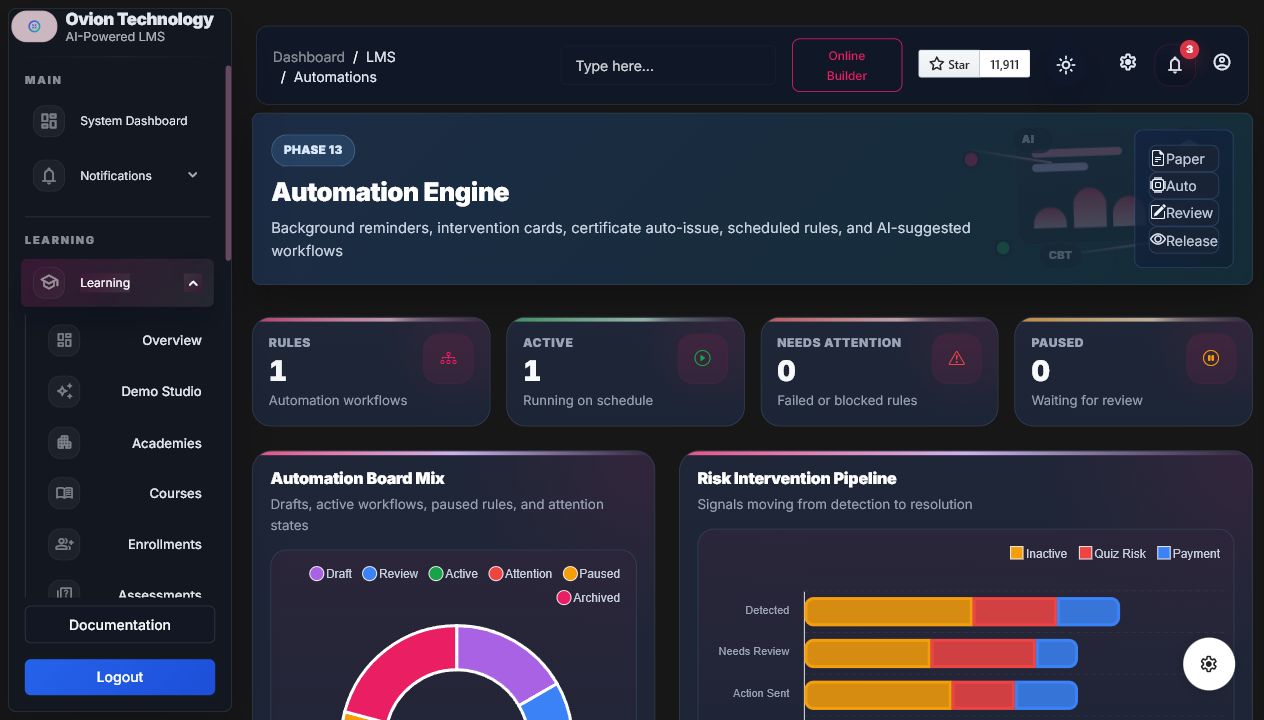

Rule Builder
| Part | Examples |
|---|---|
| Triggers | Inactive N days, progress below threshold, assignment due soon, failed quiz, certificate eligible, payment failed, live lesson upcoming, enrollment expiring. |
| Conditions | Academy, course, instructor, category, enrollment, progress, last activity, score band, assignment status, certificate status, payment status. |
| Actions | Database notification, email, learning insight, intervention card, staff alert, certificate auto-issue, Ask LMS summary note, follow-up reminder. |
| Safety | Preview does not mutate; cooldown and max sends prevent duplicate reminders; certificate issue respects eligibility. |
Commands
php artisan lms:automations:preview --rule=ID
php artisan lms:automations:run
php artisan lms:automations:run --rule=ID
php artisan lms:automations:digest
AI Automation
AI suggests rules, priorities, message drafts, workflow explanations, and failure summaries. Suggestions remain draft until staff activate them.
Demo And Developer Notes
Buyer examplePreview an assignment due reminder audience, inspect matching learners, then stop before running the rule.
Developer noteGuided anchors include
automation-workspace, automation-kanban, automation-builder, and automation-history. Runs must stay idempotent and cooldown-aware.- Preview does not mutate records.
- Run history records matched/action/failure counts.
- Certificate auto-issue respects eligibility.
- AI suggestions remain draft.