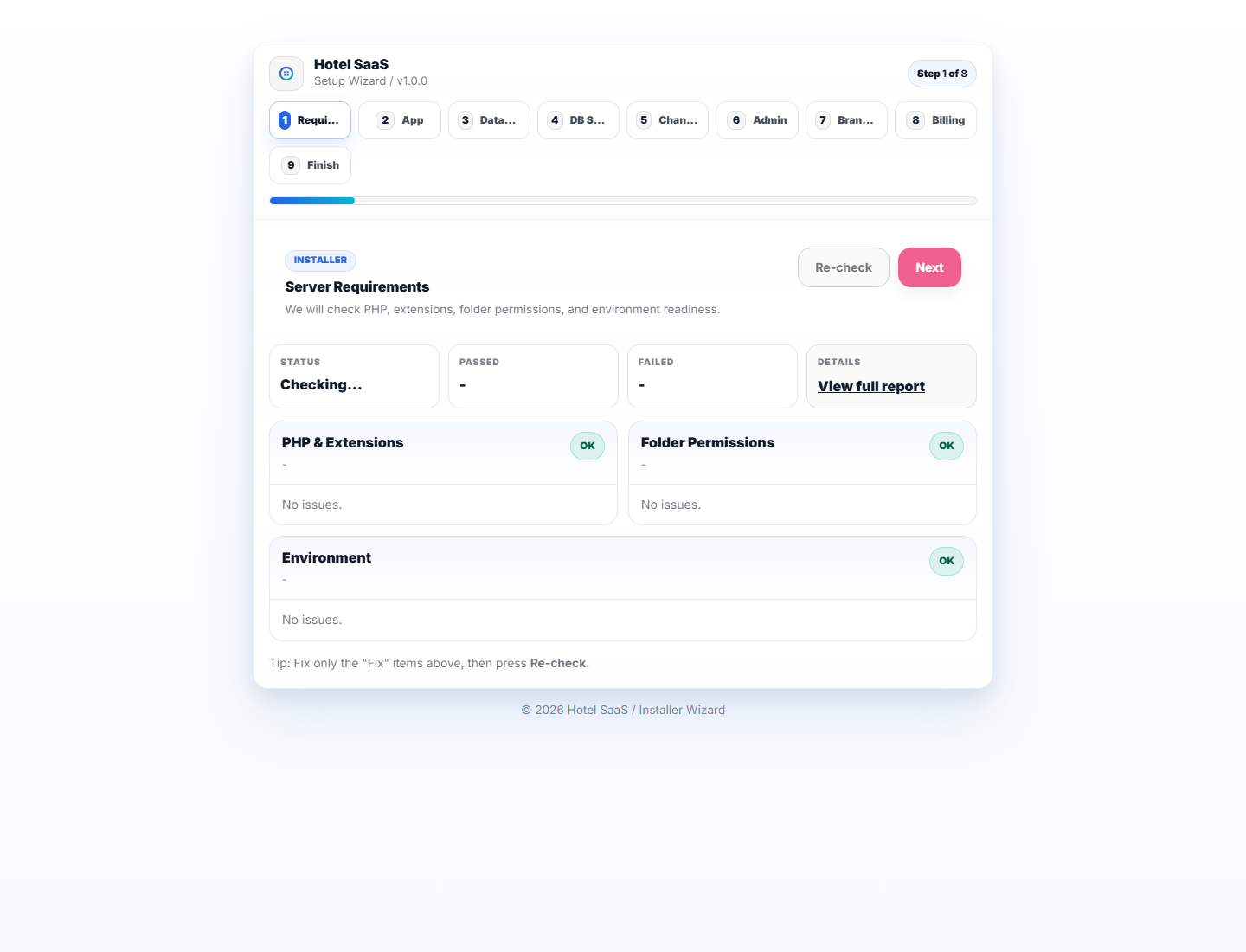
1. Requirements
PHP extensions, permissions, and readiness checks.
Install with a supported PHP runtime, MySQL/MariaDB, and a web server whose document root points to Laravel’s public directory. Use your own HTTPS domain, database, and Owner account.
Create an empty utf8mb4 database and a least-privilege database user through your hosting panel or database administration tool. Do not use a shared root account in production.
APP_ENV=production
APP_DEBUG=false
APP_URL=https://hotel.example.com
DB_CONNECTION=mysql
DB_HOST=127.0.0.1
DB_PORT=3306
DB_DATABASE=your_database
DB_USERNAME=your_database_user
DB_PASSWORD=use-a-private-strong-password
MAIL_MAILER=smtp
MAIL_HOST=smtp.example-provider.com
MAIL_PORT=587
MAIL_USERNAME=your-smtp-user
MAIL_PASSWORD=your-smtp-password
MAIL_ENCRYPTION=tlsRun dependency and asset commands from the project root before browser verification or packaging. Use the Node.js range supported by the package’s Vite dependencies.
composer install
npm ci
npm run build
php artisan migrate:fresh --seed
php artisan storage:linkAfter the installer is complete, confirm storage/app/installed exists. The current feature test suite deletes this marker during cleanup, so restore it after php artisan test before browsing the installed app.
PHP extensions, permissions, and readiness checks.
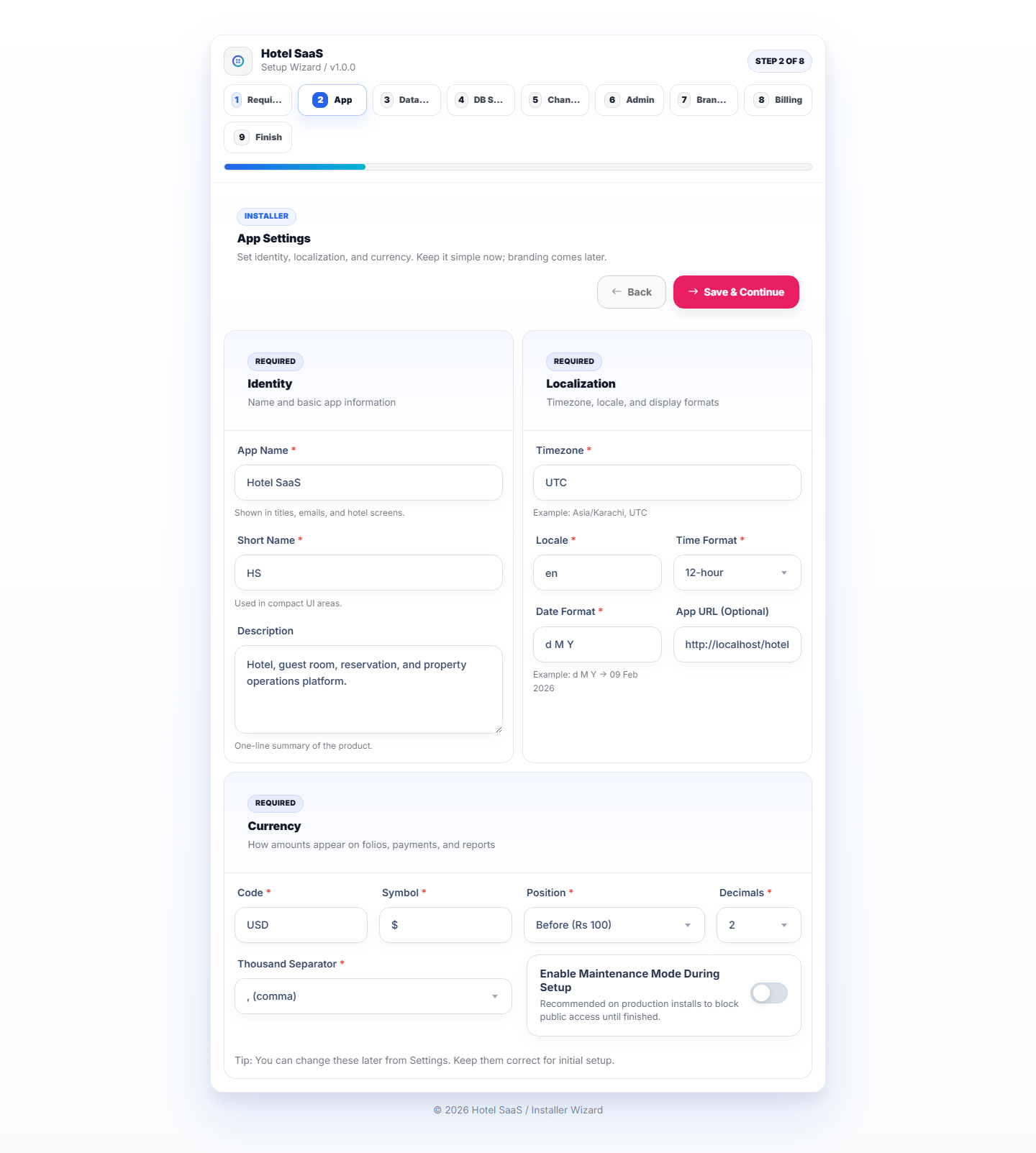
App URL, identity, timezone, currency, and localization.

Connect the empty MySQL/MariaDB database created for this installation.
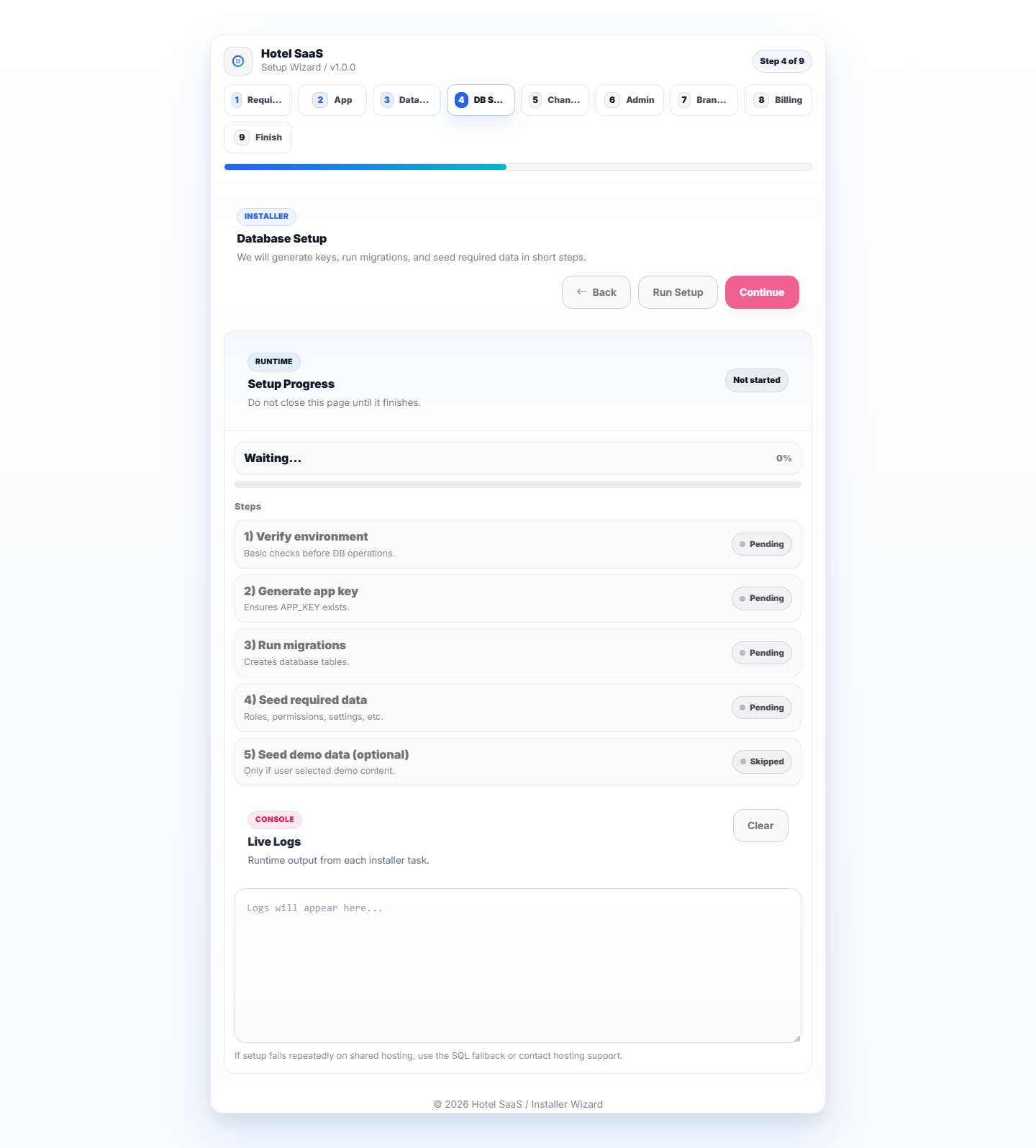
Migrate and seed the hotel SaaS skeleton.

SMTP defaults for local email testing.
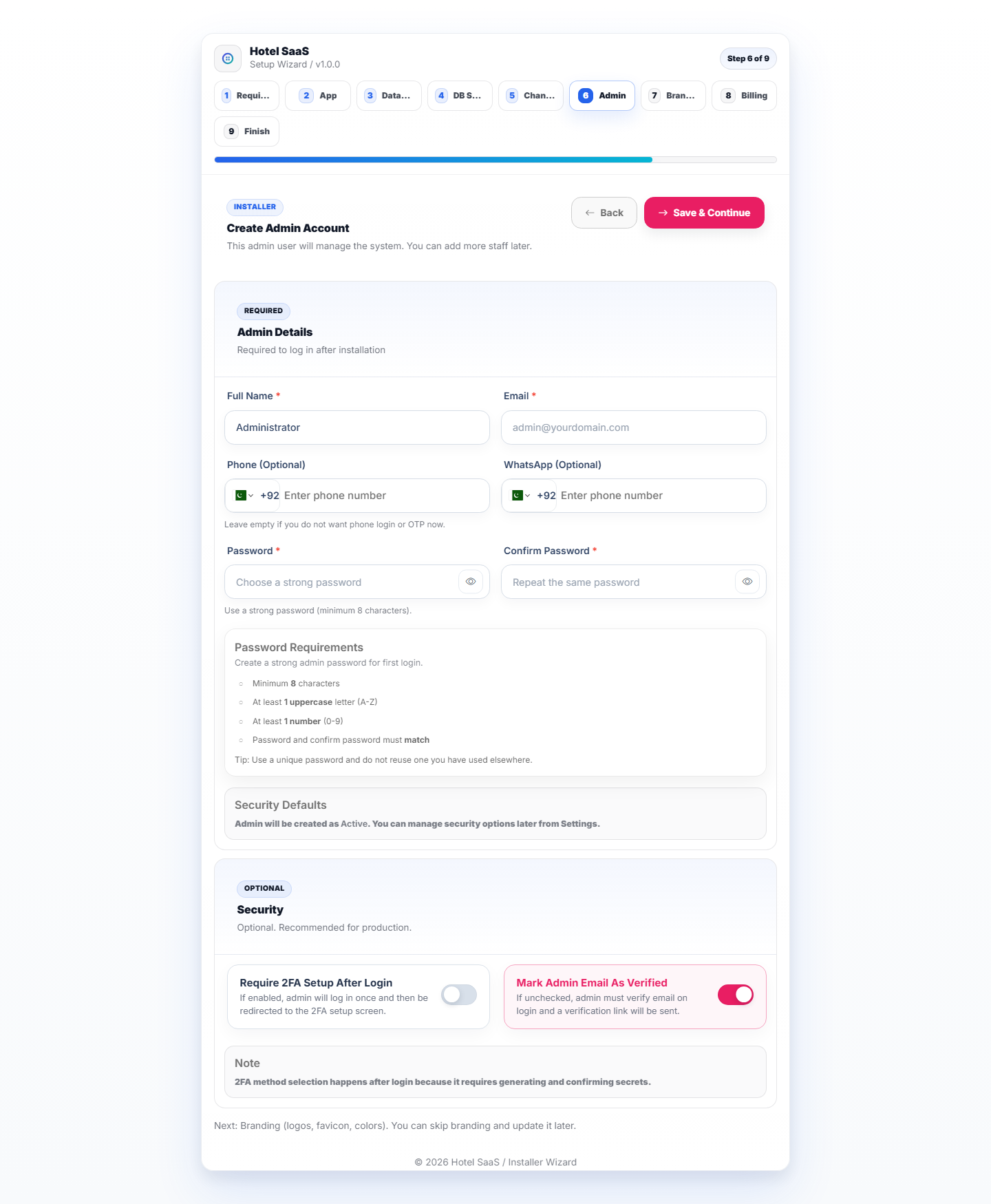
Create a unique production Owner account and a strong password. Do not reuse demo credentials.
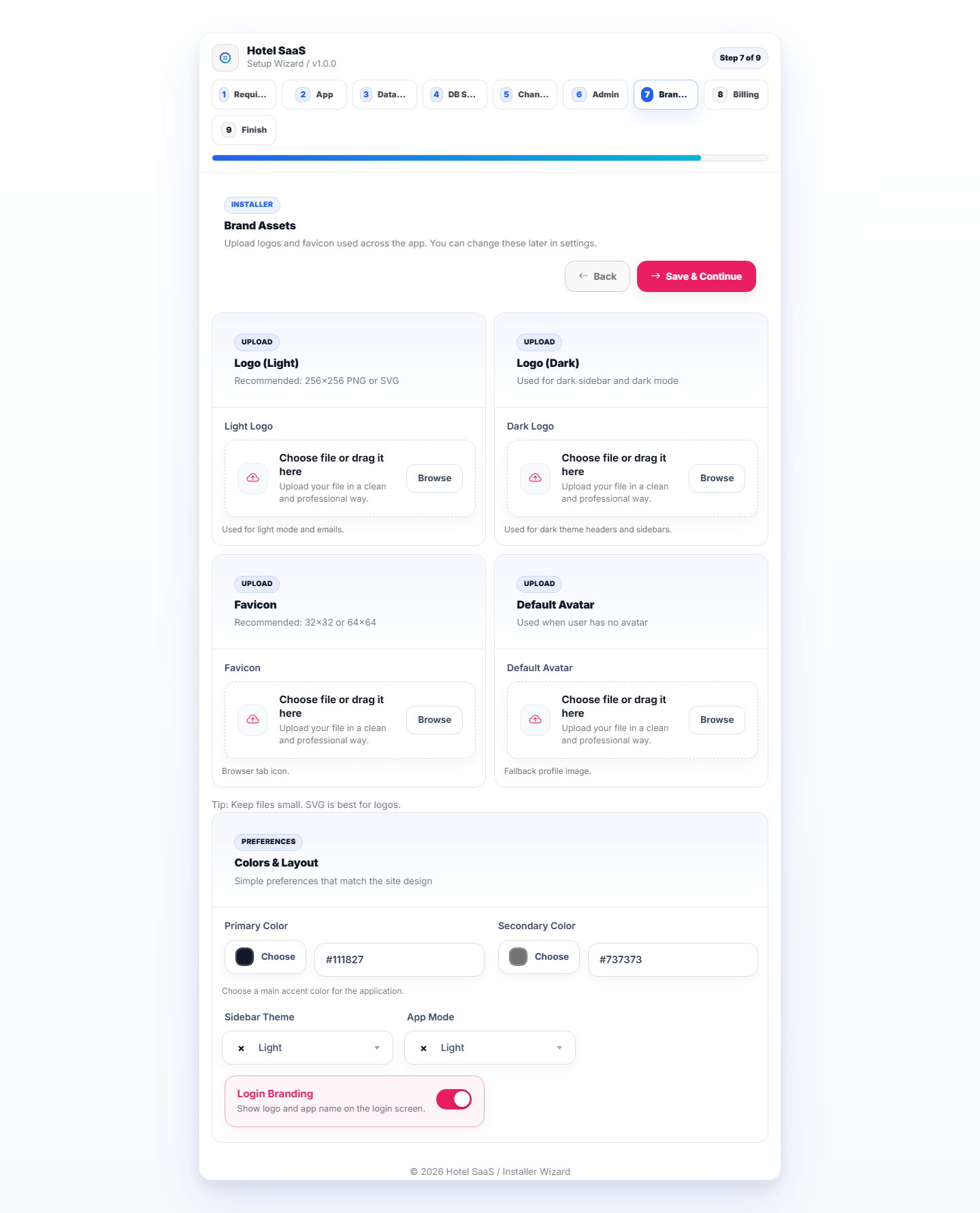
Neutral editable HavenSuite branding.
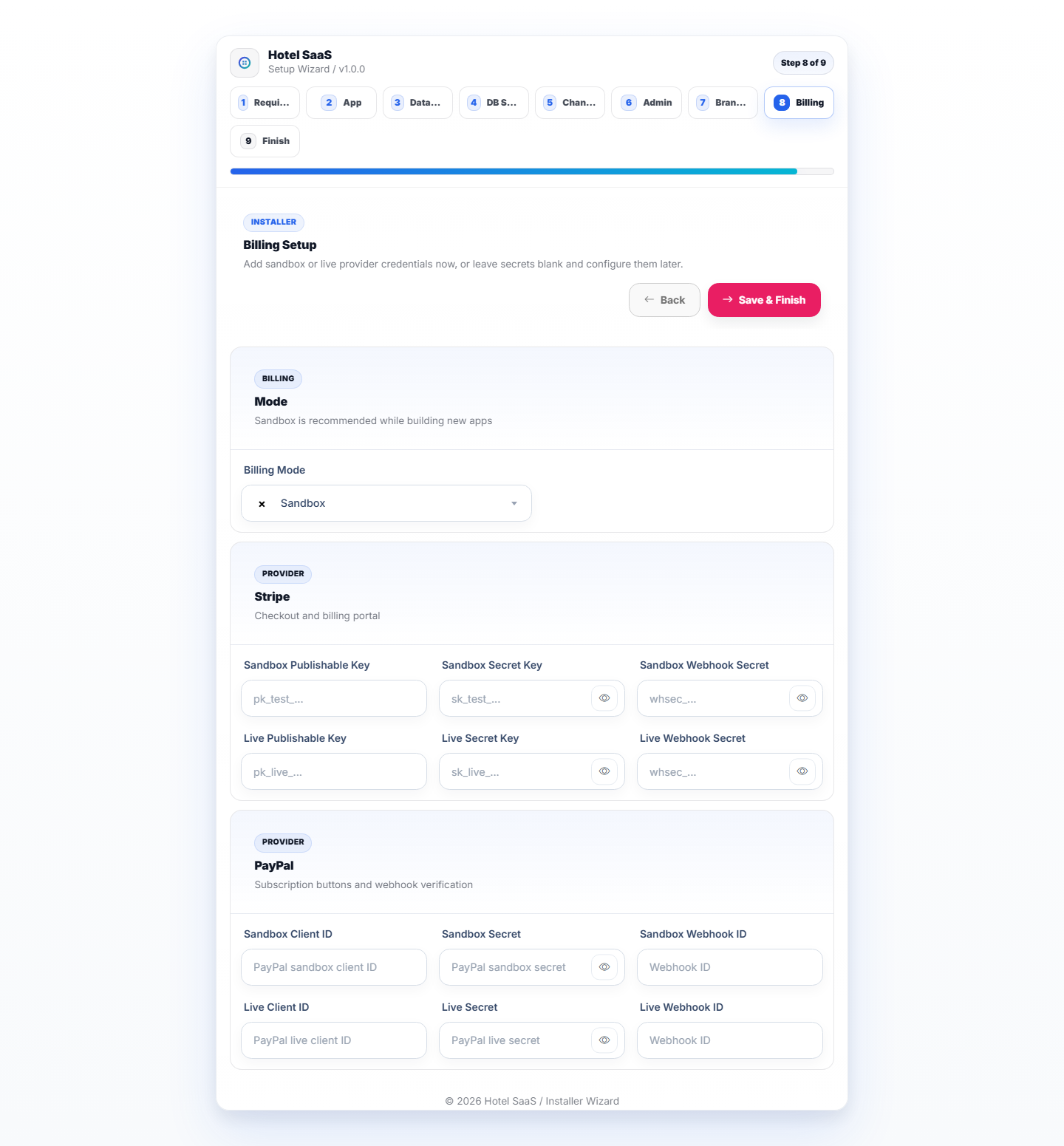
Sandbox/live Stripe and PayPal credential placeholders.
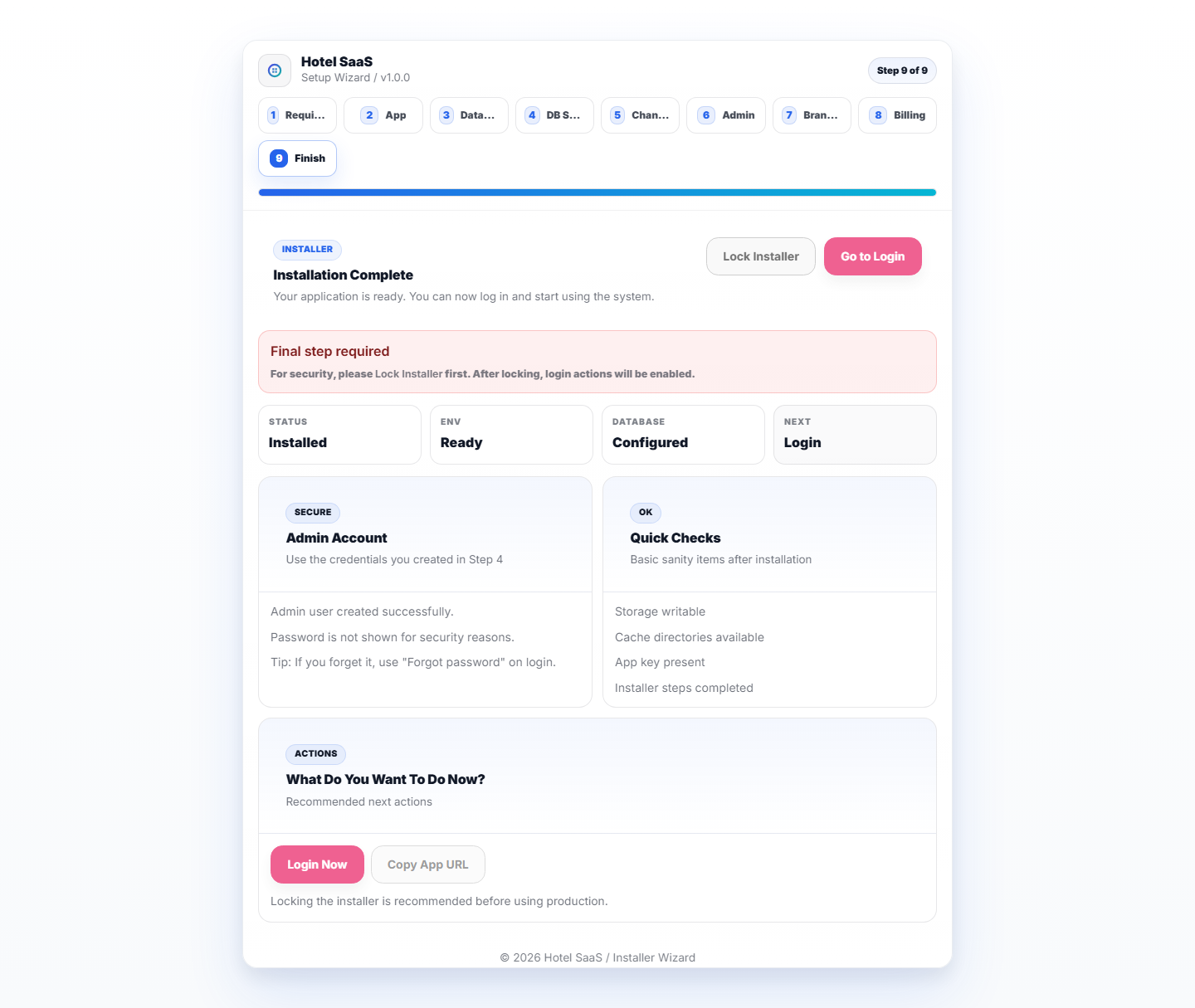
Lock installer and enter the application.
Run php artisan migrate:fresh --seed. This creates the sample hotel, rooms, reservations, folios, demo users, reports, and screenshots-ready scenarios.
Use the installer without demo seed data, create the first hotel from the admin flow, then configure plans, roles, billing, Mailpit/SMTP, cron, and queues.
php artisan storage:link exists and public/storage is linked.storage/app/installed exists after locking the installer./demo role accounts work only in the protected demo hotel./dashboard, /room-rack, /front-desk, /docs, /demo, /login, and /h/demo-hotel load without server errors.documentation/assets/media/hotel/actual/.composer validate --strict
composer audit
php artisan test
npm ci
npm audit
npm run buildcomposer validate --strict, composer audit, npm ci, npm audit, php artisan test, and npm run build are the release verification baseline. The July 15, 2026 verification pass reported 151 passing tests, no Composer advisories, and 0 production npm vulnerabilities. Restore storage/app/installed after tests if the local feature suite removes it.