Marketplace Demo
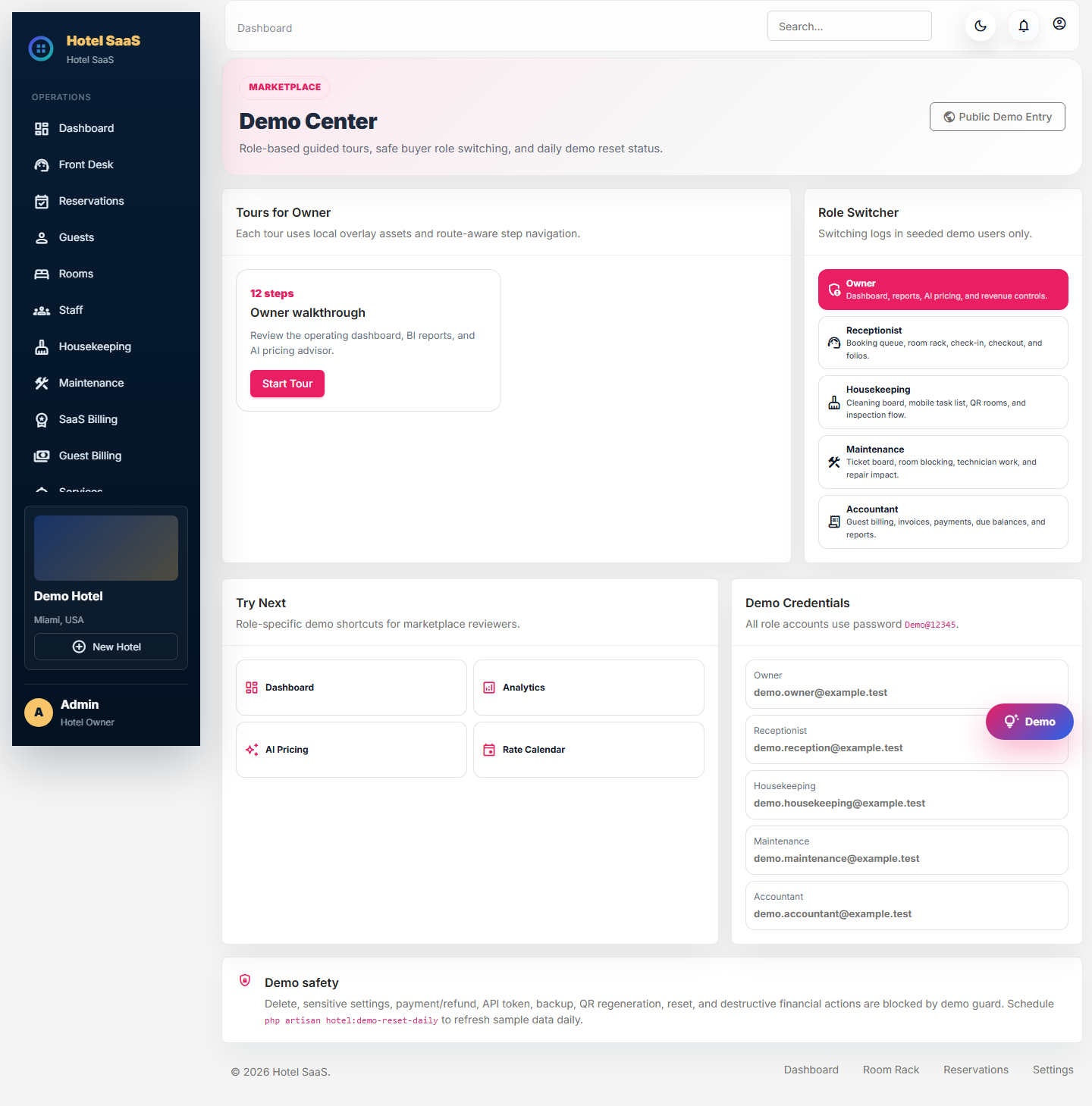
Open /demo on the configured application domain for protected role walkthroughs. Demo data can be reset and must never be mixed with production hotel data.

Demo accounts
Owner
demo.owner@example.testReceptionist
demo.reception@example.testHousekeeping
demo.housekeeping@example.testMaintenance
demo.maintenance@example.testAccountant
demo.accountant@example.testDemo password
Demo@12345Demo only: these credentials are intentionally public for the resettable marketplace demo. Never reuse them for an Owner, staff member, database, SMTP account, or production service.
Recommended 15-minute tour
- Enter as Owner and review dashboard KPIs, room rack, analytics, security, and configuration.
- Switch to Receptionist and complete a booking-to-checkout walkthrough.
- Switch to Housekeeping and update an assigned room task.
- Switch to Maintenance and inspect the ticket/room-block workflow.
- Switch to Accountant and review folios, payment evidence, journals, and reports.
Demo Center
The floating Demo Center provides Resume, Restart, Skip, role switching, a safety notice, and role-specific quick links. It guides buyers without granting access outside the demo hotel.
Safety and reset
- Server-side
demo.guardblocks destructive and sensitive actions. - Visible “Demo locked” labels explain why an action is unavailable.
- The reset command is
php artisan hotel:demo-reset-daily. - Reset targets demo hotels only and must leave production/non-demo hotels untouched.
- Do not store real guest names, documents, phone numbers, or payment references in demo data.