AI Governance
AI Governance is the workflow for registering AI systems, classifying risk, routing approvals, collecting evidence, monitoring controls, and proving review history.



Where To Find It
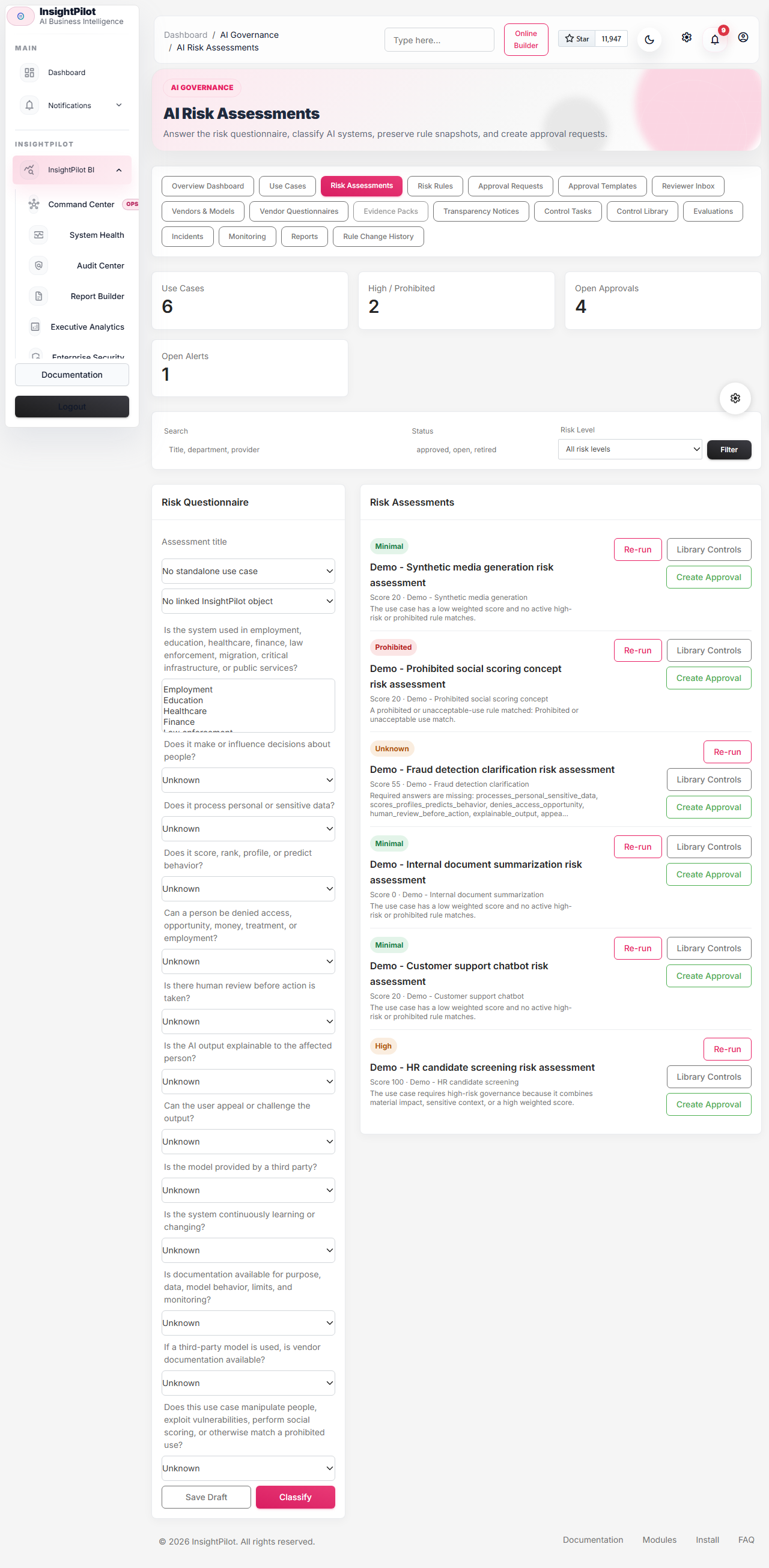
Open the admin sidebar and choose AI Governance. The module is split into these pages:
- Overview Dashboard
- Use Cases
- Risk Assessments
- Risk Rules
- Approval Requests
- Approval Templates
- Reviewer Inbox
- Vendors & Models
- Vendor Questionnaires
- Evidence Packs
- Transparency Notices
- Control Tasks
- Control Library
- Evaluations
- Incidents
- Monitoring
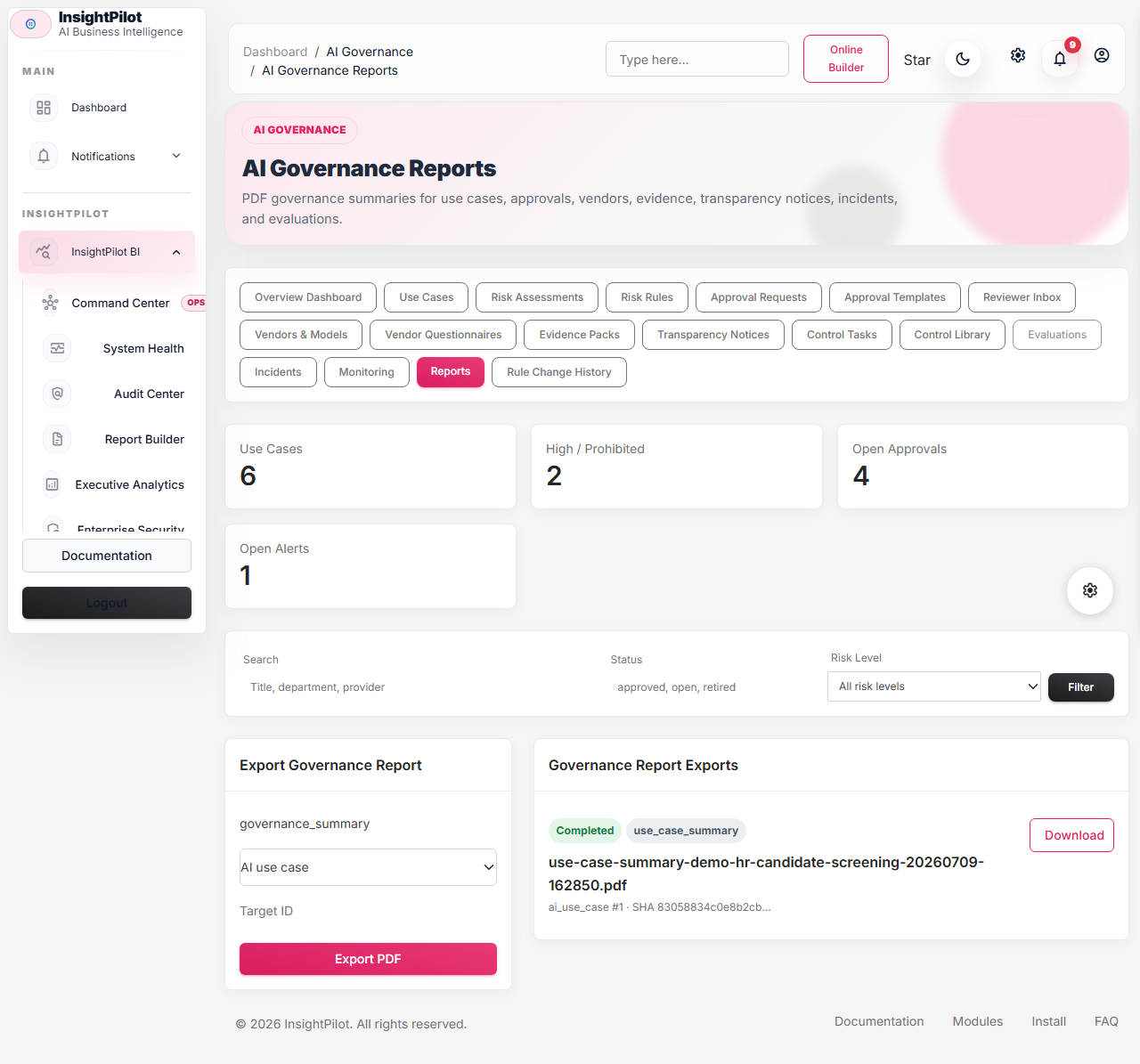
- Governance Reports
- Rule Change History
Core Workflow
- Create an AI Use Case with purpose, department, owner, vendor, model, and data categories.
- Run a Risk Assessment questionnaire or link the assessment to an existing saved query, dashboard, document, or data connection.
- Classify the risk. The service stores score, answers, matched rules, factor points, required controls, and rule snapshot.
- Create an Approval Request from the classified assessment.
- Reviewers work in parallel tracks such as compliance, legal, security, privacy/data, and business owner.
- Reviewers comment, request changes, reject, approve, or approve with conditions.
- Teams attach evidence, complete controls, generate notices, run evaluations, and export evidence packs.
- The daily monitor checks expiry, overdue work, stale evaluations, vendor evidence, unresolved serious incidents, and re-review triggers.
Risk Classification
The default engine uses weighted factors plus hard-stop prohibited rules. Historical classifications keep their rule snapshot, so later admin edits do not rewrite old decisions.
| Risk Level | Meaning | Default Handling |
|---|---|---|
| Prohibited / unacceptable | Very dangerous or banned use pattern. | Approval request is blocked. |
| High risk | Material rights, opportunity, safety, or sensitive-domain impact. | Strong governance and parallel review tracks. |
| Limited / transparency risk | Disclosure, labeling, or transparency obligations. | Compliance and owner review, with privacy/security added when triggered. |
| Minimal risk | Low governance burden. | Business owner acknowledgement. |
| Unknown / needs review | Required answers are missing or inconsistent. | Compliance clarification before approval. |
Default factors are sensitive domain, rights/opportunity impact, personal or sensitive data, lack of human oversight, automated decision-making, poor documentation, and vendor opacity.
Approval Workflow
Approval requests come from classified risk assessments. Prohibited assessments create a blocked request and cannot be approved. High-risk and unknown approvals enforce separation of duties: the requester cannot approve required compliance, privacy, security, or legal steps unless they have the override permission.
Admins can map reviewer roles for compliance, legal, security, privacy/data, business owner, and override reviewers. If mappings exist, the workflow prefers them. If no eligible reviewer exists, the step remains unassigned and displays "Needs reviewer assignment".
Vendors, Models, And Evidence
The vendor registry tracks vendor status, review due dates, processing role, risk notes, and evidence requirements. Models track version, type, deployment, capabilities, limitations, retention, system card URL, and review due date.
Evidence can be an uploaded file, a URL, or a link to an existing InsightPilot document. Uploaded files are hashed with SHA-256. Evidence packs export a PDF report plus a ZIP manifest and attached files where available.

Launch-Ready Governance Features
The completion pass adds the operational layer buyers expect once risk classification and approvals exist.
| Feature | What It Does |
|---|---|
| Reviewer Inbox | Aggregates assigned review steps, unassigned steps, requested changes, open approval conditions, overdue controls, open alerts, serious incidents, and unread AI Governance notifications. |
| Policy & Control Library | Stores reusable controls mapped to NIST AI RMF Govern, Map, Measure, and Manage. Admins can create treatment tasks from library controls for a classified assessment. |
| Vendor Questionnaires | Runs structured vendor/model assessments for DPA, security evidence, model/system cards, retention, subprocessors, incident contact, privacy controls, and GPAI/copyright notes. |
| Use Case Change Log | Records material use-case changes such as purpose, vendor, model, provider, and data categories. Material changes create re-review alerts. |
| Governance Reports | Exports PDF summaries for use cases, approvals, vendors, and evidence records, with tracked status, checksum, and download authorization. |
| Public Transparency Notices | Publishes read-only token URLs for approved transparency notices and supports revocation plus PDF export. |
| Demo Pack | Seeds fictional HR screening, support chatbot, marketing/synthetic media, fraud clarification, internal summarization, and prohibited-use examples. |
Reviewer Inbox
The Reviewer Inbox is the reviewer home base. Filters include assigned_to_me, overdue, needs_changes, conditions_due, high_risk, unassigned, and review_type. Use it for daily review operations instead of asking reviewers to inspect every approval record manually.
Policy And Control Library
The default library includes governance policy, human oversight, bias testing, data quality, explainability, appeal process, audit logging, vendor evidence, incident response, evaluation cadence, transparency notice, and approval expiry review. Each control stores category, NIST function, risk-level mapping, evidence expectations, owner role, cadence, priority, and version.
Library changes affect newly created control tasks. Existing treatment-plan tasks keep their own title, owner, due date, evidence, and completion timeline.
Vendor Questionnaires
Default questionnaire templates cover third-party LLM, AI SaaS vendor, open-source model, internal model, and GPAI provider assessments. Runs store answers, score, result, missing evidence categories, linked vendor/model, reviewer, summary, and completion time.
Low questionnaire scores create alerts and re-review webhook events so vendor evidence gaps do not stay hidden.
Change Logs, Reports, And Public Notices
Use-case change events record actor, field, old value, new value, reason, material-change hash, and whether re-review is required. Linked vendor/model changes also create change events for affected use cases.
Governance reports use the existing PDF export stack and add an AI Governance tracking row with target type, target ID, status, checksum, file path, and failure reason.
Public transparency notice URLs expose only the approved notice text, notice metadata, public version, and legal-boundary disclaimer. They never expose assessments, reviewer comments, evidence, controls, or private approval data.
Notices, Incidents, And Evaluations
Transparency Notice templates cover chatbot/user interaction, AI-generated text, deepfake/synthetic media, customer-facing AI content, and internal decision support.
Incidents track severity, status, impact, events, owner, and whether re-review is required. High or critical incidents automatically create re-review alerts.
Evaluations are structured manual runs. Default tests include bias, accuracy, explainability, privacy leakage, prompt injection, human oversight, appeal process, and data quality. High-risk evaluations are treated as stale after 90 days.
Controls And Monitoring
Required controls become treatment-plan tasks with owner, due date, priority, evidence, status, completion fields, overdue checks, and timeline events.
php artisan insightpilot:run-ai-governance
php artisan insightpilot:run-ai-governance --user_id=1
php artisan insightpilot:seed-ai-governance-demo --user_id=1
The command checks approvals expiring in 30 and 7 days, expired approvals, overdue controls, overdue approval conditions, re-review triggers, stale high-risk evaluations, expiring vendor evidence, and unresolved high/critical incidents. Findings create activity logs, notifications, and AI Governance alerts.

Permissions
| Permission | Use |
|---|---|
view ai governance | View AI Governance pages and records. |
manage ai use cases | Create, update, retire, and change-log AI use cases. |
manage risk assessments | Create questionnaires, classify risk, and manage control tasks. |
manage risk rules | Edit questions, rules, thresholds, controls, and rule outcomes. |
submit ai approvals | Create approval requests from assessments. |
review ai approvals | Comment, decide review steps, and satisfy approval conditions. |
manage approval templates | Create approval templates and reusable steps. |
override ai reviewer assignments | Manually assign reviewers and override separation-of-duties limits. |
manage ai vendors | Manage vendors, models, and model-use links. |
manage ai evidence | Add evidence records. |
export ai governance evidence | Create and download evidence packs. |
manage transparency notices | Generate, approve, publish, revoke, and export notices. |
manage ai incidents | Create and update AI incident records. |
manage ai evaluations | Create structured evaluation runs. |
manage ai monitoring | Create monitors, run checks, and resolve alerts. |
manage ai control library | Create and update reusable controls and NIST mappings. |
manage ai vendor questionnaires | Run structured vendor/model questionnaires. |
export ai governance reports | Generate and download governance report PDFs. |
manage ai governance demo pack | Seed fictional launch-demo governance records. |
API Reference
AI Governance API routes use auth:sanctum, tenant middleware, subscription middleware, ability middleware, and tenant scoping. Send X-InsightPilot-Organization when using an organization-aware token and the user belongs to that organization.
Sanctum abilities:
ai-governance:read
ai-governance:write
ai-governance:review
ai-governance:evidence
ai-governance:admin| Endpoint Group | Examples |
|---|---|
| Dashboard | GET /api/v1/ai-governance/dashboard |
| Use cases | GET/POST/PATCH /api/v1/ai-governance/use-cases, GET /use-cases/{id}/changes |
| Reviewer Inbox | GET /reviewer-inbox?assigned_to_me=1 |
| Control Library | GET/POST/PATCH /control-library, POST /assessments/{id}/control-library-tasks |
| Vendor Questionnaires | GET /vendor-questionnaires, GET/POST /vendor-questionnaire-runs |
| Governance Reports | GET/POST /governance-reports, GET /governance-reports/{id}/download |
| Vendors/models | GET/POST /vendors, GET/POST /models |
| Assessments | GET/POST /assessments, POST /assessments/{id}/classify |
| Approvals | GET /approvals, POST /approval-steps/{id}/decisions |
| Controls | GET /controls, PATCH /controls/{id} |
| Evidence | GET/POST /evidence, GET /evidence/{id}/download |
| Evidence packs | POST /use-cases/{id}/evidence-pack, POST /approvals/{id}/evidence-pack |
| Notices | GET/POST /notices, approve, publish, public-publish, revoke, and PDF routes |
| Incidents | GET/POST/PATCH /incidents |
| Evaluations | GET/POST /evaluations |
| Monitoring | GET /alerts, PATCH /alerts/{id}/resolve, GET /monitor-runs |
| Admin reads | GET /risk-rules, GET /approval-templates |
curl -H "Authorization: Bearer TOKEN" \
  -H "Accept: application/json" \
  https://example.com/api/v1/ai-governance/use-cases
{
"data": [
{
"id": 1,
"title": "HR screening assistant",
"status": "draft",
"vendor_name": "OpenAI"
}
]
}Webhooks
AI Governance events are available in the Developer & Webhooks page:
ai-governance.risk-classifiedai-governance.approval-createdai-governance.approval-approvedai-governance.approval-rejectedai-governance.approval-needs-changesai-governance.incident-created,ai-governance.incident-escalated,ai-governance.incident-resolvedai-governance.control-overdue,ai-governance.control-completedai-governance.evidence-pack-exportedai_governance.vendor_questionnaire.completedai_governance.use_case.changed,ai_governance.re_review.requiredai_governance.report.exportedai_governance.transparency_notice.published,ai_governance.transparency_notice.revoked
Examples
HR screening: Usually high risk because it affects employment opportunity, processes applicant data, ranks candidates, and influences hiring. Typical controls include human oversight, bias testing, data quality record, candidate information, appeal process, vendor documentation, and audit trail.
Customer support chatbot: Often limited/transparency risk unless it makes decisions about people or processes sensitive data. Typical controls include disclosure, privacy review, vendor evidence, retention policy, and human escalation.
Enterprise Controls
v2.0 includes OIDC and SAML identity-provider setup, SCIM user and group provisioning, role mapping, device sessions, policy-based SSO/MFA controls, retention policies, and legal holds. Configure the buyer's identity provider, workforce policy, and legal retention scope before enforcing these controls in production.