RevenuePilot CRM Documentation
v1.0.0 Changelog

Seeder And Demo Data Guide

The project ships with multiple seeder entry points so buyers can choose between a safe baseline, essential app data, CRM defaults, full demo data, or a flagship showcase environment.

Production rule: do not run demo seeders on a live customer database. Use demo seeders only for staging, QA, sales demos, or local development.

1) Seeder Hierarchy

  • InstallerRequiredSeeder: installer-safe baseline that calls the full RoleAndPermissionSeeder, creating the complete permission catalog before the first Admin user is assigned.
  • EssentialDataSeeder: required permissions, default CRM pipeline, and enterprise catalog.
  • DatabaseSeeder: users, settings, full permissions, CRM defaults, and enterprise catalog.
  • InstallerDemoSeeder: deterministic demo dataset through the CRM demo service.
  • FlagshipStarterSeeder: base app + enterprise catalog + demo dataset + showcase users.

2) Recommended Commands

# Base application data
php artisan db:seed

# Minimal essential app data
php artisan db:seed --class=EssentialDataSeeder

# CRM demo dataset only
php artisan db:seed --class=InstallerDemoSeeder

# Full flagship showcase environment
php artisan db:seed --class=FlagshipStarterSeeder

3) Seeded Users

Default Credentials
  • Admin: admin@ovion.tech / Demo@12345
  • Manager: demo-manager@ovion.tech / password
  • Agent: demo-agent@ovion.tech / password
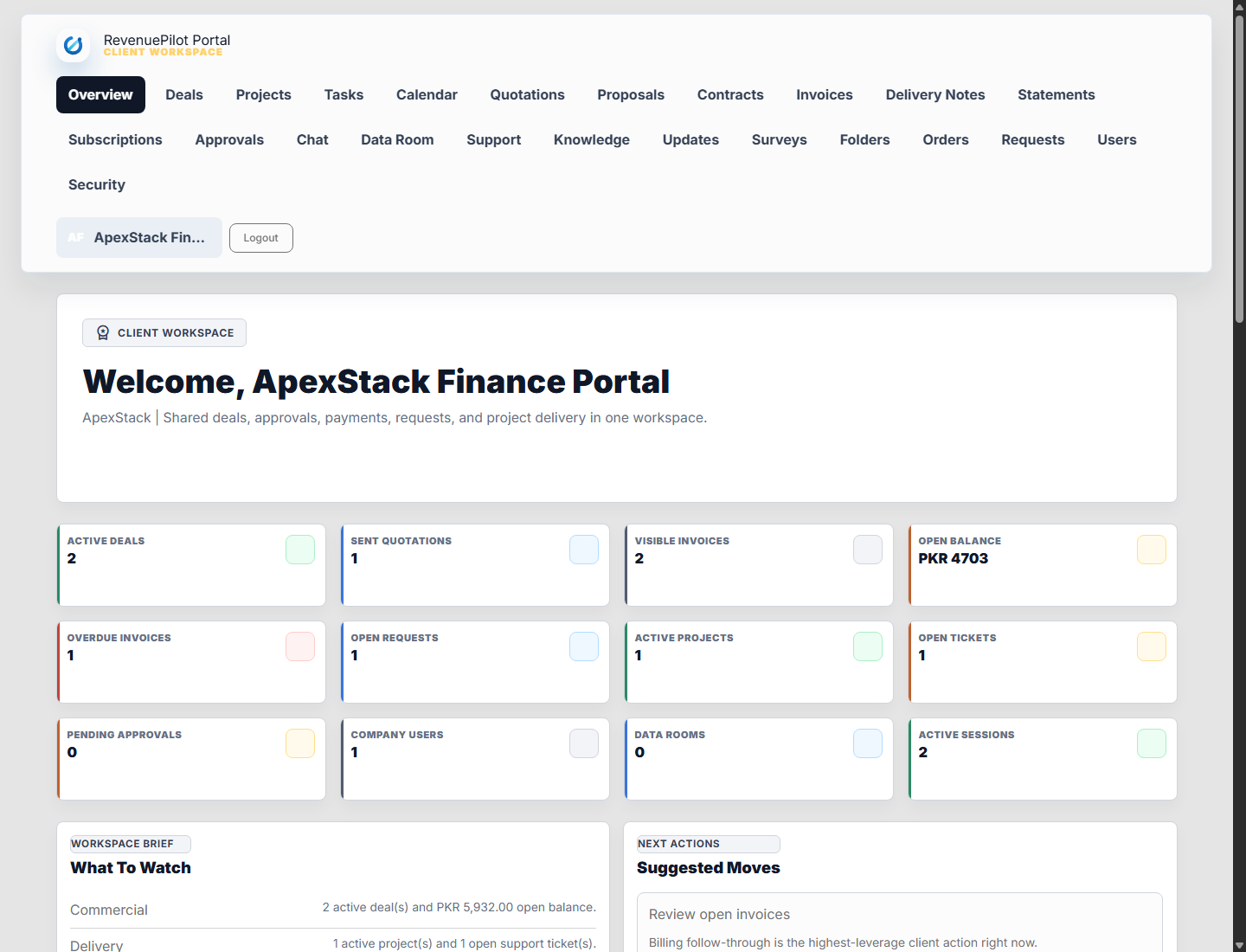
  • Client portal: apex-client@revenuepilot.test / password

4) What Gets Seeded

  • General and branding settings with Ovion defaults.
  • Admin, Manager, and Employee roles with CRM and platform permissions.
  • Default sales pipeline, stages, playbooks, lead forms, lead sources, follow-up discipline, and core CRM baseline.
  • Demo proof records for the public landing page: companies, contacts, leads, deals, quotations, invoices, projects, tasks, tickets, files, delivery notes, and portal users.
  • Enterprise catalog records: feature flags, plugin/sample-pack records, provider connections, API clients, webhooks, backup proof, and marketplace proof controls.
  • Sandbox-only records for payment gateways, accounting providers, support mailbox import, ad campaigns, AI Bot sync, and provider webhooks.

5) Idempotency

Core seeders are designed to be re-runnable. Settings use upsert behavior, CRM defaults use first-or-create behavior, and seeded users now upsert by email instead of blindly inserting duplicates.

6) Demo Walkthrough Path

  1. Sign in as admin and open /crm/dashboard, then review /crm/today.
  2. Open leads, campaigns, and lead forms; convert a lead into a deal.
  3. Move the deal on /crm/deals/board, add follow-ups, stakeholders, notes, and an AI draft.
  4. Create or review a quotation, refresh the public quote link, and generate a deposit invoice.
  5. Open invoices, payment session simulation, refunds, delivery notes, reports, and scheduled report setup.
  6. Review projects, task board, support inbox, ticket replies, and customer success workspace.
  7. Sign in as the portal client and verify deals, quotations, invoices, projects, tasks, files, tickets, requests, approvals, calendar, and security.
  8. Run System Health and marketplace proof pages before taking screenshots.

7) Readiness Commands

php artisan crm:portal-readiness-check
php artisan crm:sync-support-mailboxes
php artisan crm:sync-accounting-providers
php artisan crm:sync-payment-gateways
php artisan crm:retry-payment-events
php artisan crm:run-recurring-billing
php artisan revenuepilot:marketplace capture-screenshots

8) Demo controls in production

  • demo_mode_enabled defaults to false. Enable it only for sales demos or buyer previews that intentionally expose /demo-preview.
  • Public demo/test surfaces are disabled or gated by authentication, installation state, permissions, throttles, and demo/debug mode.
  • Demo seeders configure sandbox and simulation records only. Do not run demo seeders on a live customer database.
  • After seeding a demo, run the readiness center and portal readiness command before capturing marketplace screenshots.
Demo Studio Reference
RevenuePilot today workspace
Use Today, Demo Studio, and System Health to verify the seeded campaign-to-cash loop.