Carry the time-sensitive part of ExamNova with you.
Companion is a focused mobile app for taking assigned exams, checking published results, following linked children, and handling authorized review work. Exam creation, bulk management, complex setup, and reporting remain in the desktop web app.
xyz.oviontech.examnova, iOS bundle xyz.oviontech.examnova, API version 1.Why ExamNova qualifies for a companion app
| Decision item | Assessment |
|---|---|
| Primary mobile persona | Student completing an assigned assessment; secondary personas are parents and time-sensitive assessment staff. |
| Primary mobile job | Complete an assigned exam reliably, including short connection interruptions. |
| Mobile benefits | Away-from-desk use, time-sensitive actions, push notifications, offline access, frequent short interactions, approvals, communication, biometric unlock, and native secure storage. |
| Desktop boundary | Exam authoring, configuration, reporting, bulk operations, and complex administration stay in the web application. |
See the Companion experience
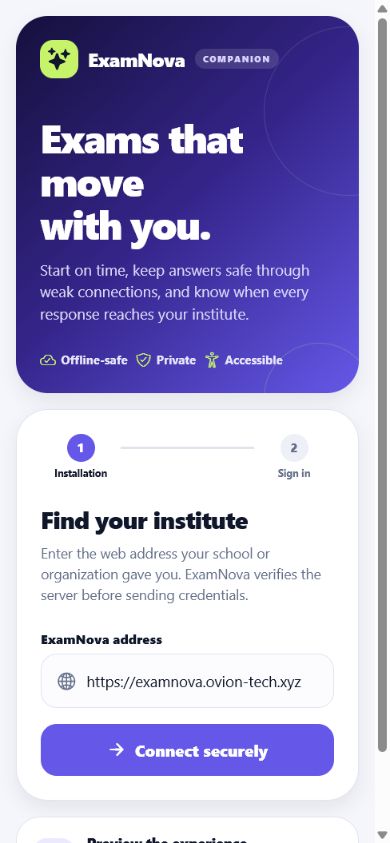
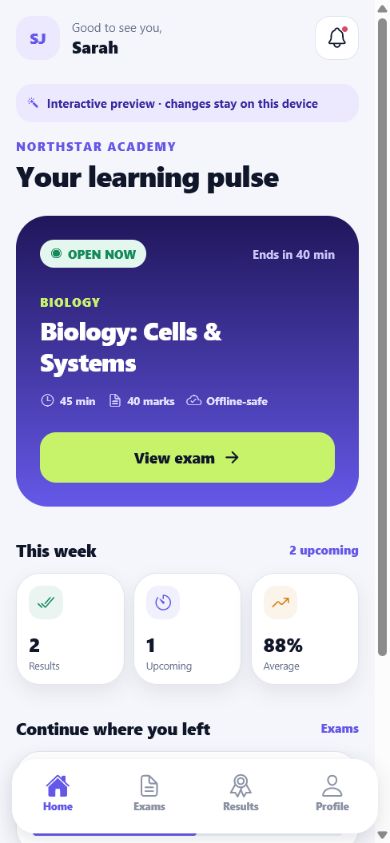
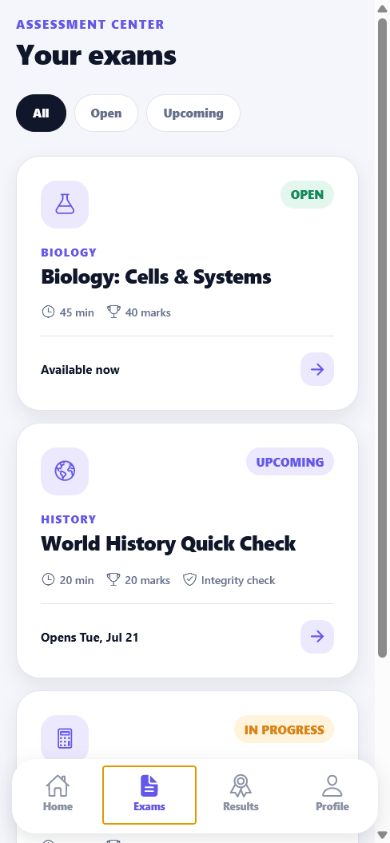
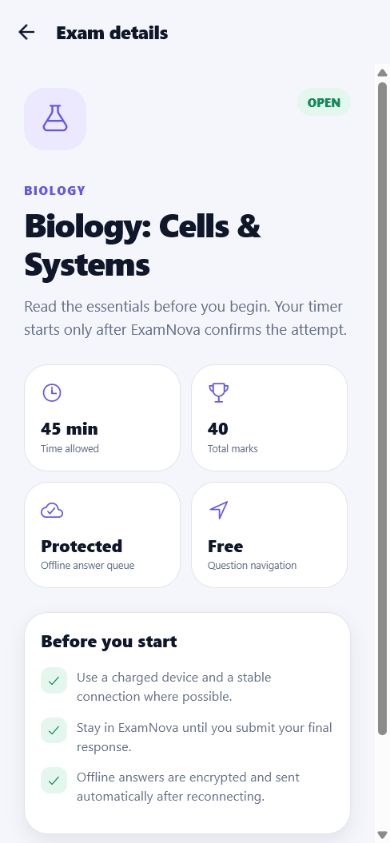
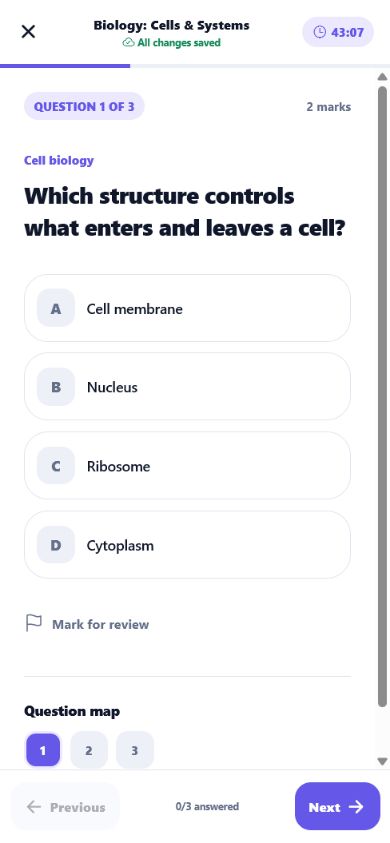
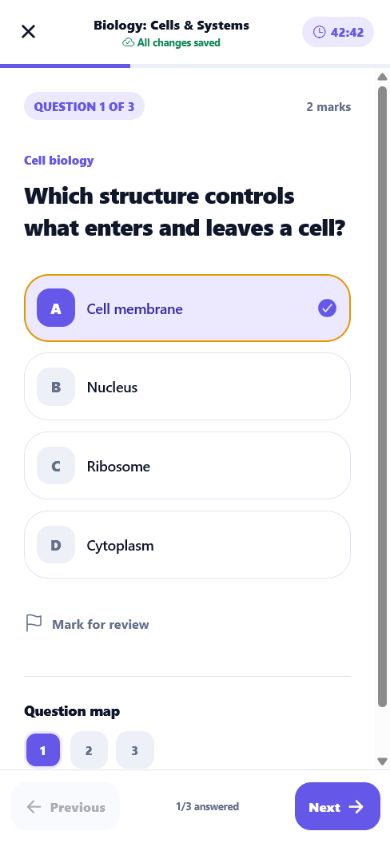
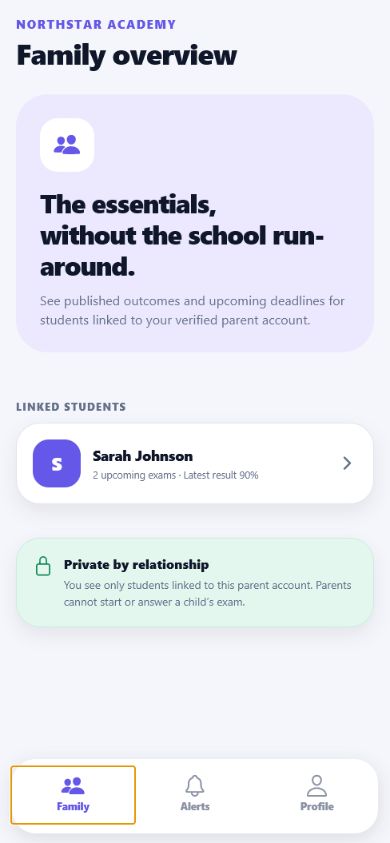
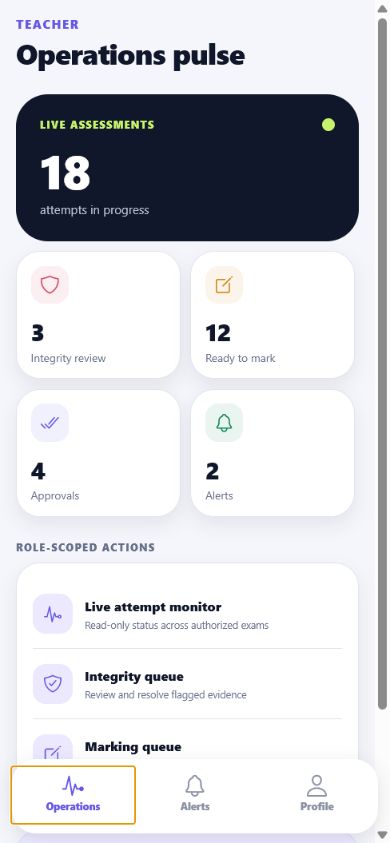
These are fresh 390 by 844 browser captures of the real Expo interface running its clearly labelled, fictional interactive preview. The preview lets evaluators inspect role-aware navigation and answer-saving behavior without sending credentials to an institute.
Install the Android preview
- Confirm the phone uses the
arm64-v8aarchitecture and Android 7.0 or newer. The direct-install preview is intentionally phone-focused; the production Play release uses an App Bundle for managed device delivery. - Download
examnova-companion-1.0.0-preview.apkfrom the product mobile page or release package. - Verify the published SHA-256 checksum before installation.
- On Android, allow installation from the file manager only for this installation, then turn that permission off again.
- Open Companion. The Preview experience is fictional local data; institute sign-in always uses the real mobile API.
5DB432D249ACDB0BBB15B75C0B3166A0487F344369D741E488EE3E5A6A9A3A20. It is signed with an evaluation certificate for direct testing, not production store distribution.Connect to an institute
- Enter the exact HTTPS ExamNova address supplied by the institute. For the official demo use
https://examnova.ovion-tech.xyz. - Confirm the product and institute identity returned by discovery before entering credentials.
- Sign in with the normal ExamNova account. If multi-factor verification is enabled, complete the server-required challenge.
- Review the displayed role. The app derives capabilities from current server permissions; it does not turn a parent, student, or teacher into an administrator.
Student workflow
- Open Exams and select an assignment marked Open or In progress.
- Read the timing, integrity, navigation, and accommodation summary before starting.
- Answer each question. The status line says Saving, All changes saved, or Saved on device.
- If the connection drops, keep the app installed and continue. Encrypted mutations synchronize in order after reconnection.
- Review the question map, then submit while connected. Wait for the server confirmation before closing the app.
- Open Results only after an authorized reviewer publishes the result.
What each role can do
| Role | Focused mobile work | Kept on desktop |
|---|---|---|
| Student | Assigned exams, protected attempts, results, rechecks, documents, notifications. | Question or exam administration. |
| Parent | Linked-child exam context, published results, result documents, recheck request. | Starting or answering a child attempt. |
| Teacher / Examiner | Authorized live queue, integrity review, focused marking and notes. | Exam construction, bulk marking, report design. |
| Institute Admin | Time-sensitive operational queues and alerts allowed by current permissions. | Institute setup, roles, billing, imports, and configuration. |
Offline and privacy behavior
- Session tokens use operating-system secure storage. The server stores token hashes and supports rotation, logout, device revocation, and expiry.
- Queued answers are encrypted before entering the local SQLite queue. Logout or revocation removes the queue and its device-bound key.
- The server rejects stale answer versions and detects replayed or conflicting idempotency keys.
- Push messages contain a generic notice; details load only after authenticated API access.
- The verified v1 evaluation build requests neither camera nor system-overlay access. A future evidence-capture release requires a documented feature, consent flow, retention policy, platform declarations, and new release review.
Self-hosted installations
Use the verified customer-owned HTTPS domain. The installation must expose /api/mobile/v1/discovery, configure its canonical URL, serve the well-known Android and Apple association documents, and publish supported/minimum versions. Private-IP HTTP is accepted only for explicit localhost emulator development.
Push and deep links
Android uses FCM device tokens and verified App Links. iOS uses APNs device tokens and Universal Links. Administrators configure provider credentials, Android signing fingerprints, Apple team ID, and the xyz.oviontech.examnova application identifiers. Deep links navigate to a role-safe destination and never bypass server authorization.
Troubleshooting
- Server not recognized: confirm HTTPS, the installation base address, TLS chain, and discovery route.
- Update required: install a build at or above the server's minimum version; the API intentionally fails closed.
- Answer waiting: reconnect, reopen the attempt, and wait for All changes saved.
- Role action missing: compare the web role permissions; Companion cannot grant a permission absent on the server.
- Notifications missing: check operating-system permission, device registration, queue worker, provider configuration, and delivery/receipt logs.