Before installation
Requirements and preparation
Confirm the server, domain, database, mail, storage, and recovery prerequisites before opening the installer.
Platform ownerHosting administrator
Who does thisPlatform owner or hosting administrator
Before you startA domain, compatible hosting, an empty database, and backup ownership
Successful outcomeA verified environment ready for the protected installer
What this means in plain language
Requirements are the conditions that let ExamNova run reliably. Passing the web installer check is useful, but the owner must also know who manages DNS, TLS, backups, scheduled work, and incident recovery.
Step-by-step
- Use PHP 8.2 or newer with the extensions required by Laravel, database access, image handling, ZIP packages, and PDF generation.
- Use MySQL or MariaDB with InnoDB and
utf8mb4. Prepare an empty database and a user limited to that database. - Point the domain document root at ExamNova’s
publicdirectory. Do not expose.env, application code, logs, or private storage. - Enable HTTPS before collecting real user or assessment data.
- Confirm writable framework cache and storage directories, a working queue strategy, scheduled task execution, outbound mail, and sufficient private-file capacity.
- Write down the backup owner, backup location, retention period, and a tested restore procedure before production use.
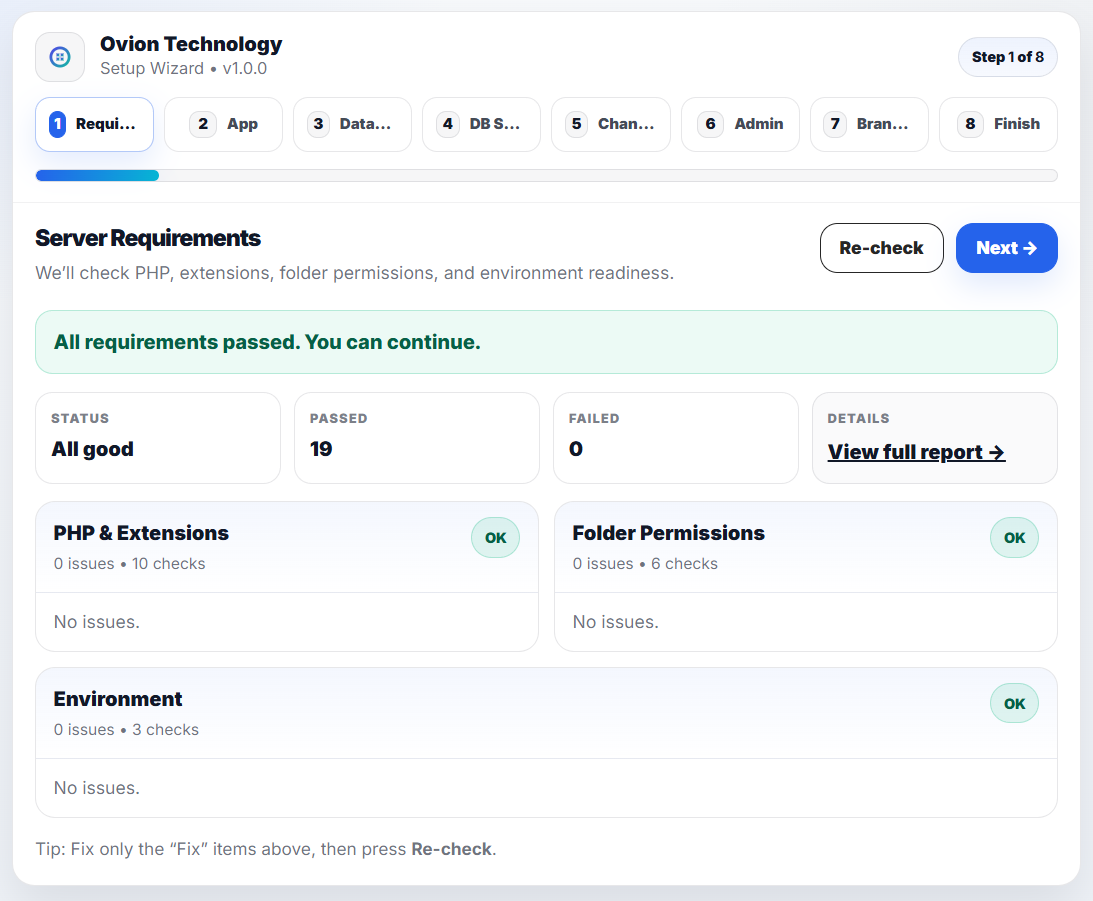
How to know it worked
- The installer requirements page reports no blocking failures.
- The public URL serves ExamNova over HTTPS without exposing application folders.
- The database is empty and dedicated to this installation.
- A backup can be created and restored by the named owner.
Common mistakes
- Using a database that already contains unrelated tables.
- Serving the project root instead of the public directory.
- Treating a hosting snapshot as a tested application backup.
If something goes wrong
- If an extension is missing, enable it in the active web PHP configuration—not only the command-line configuration.
- If permissions fail, verify the web-server account owns the writable directories.
- If scheduled work does not run, test the hosting cron command manually and record its output.
Privacy and security: Do not send the
.env file, database dump, license secret, or private storage archive to support unless an approved secure process explicitly requires it.What to do next
Continue to the installation guide and keep the requirements results available while configuring the application.