Prepare eligible participants
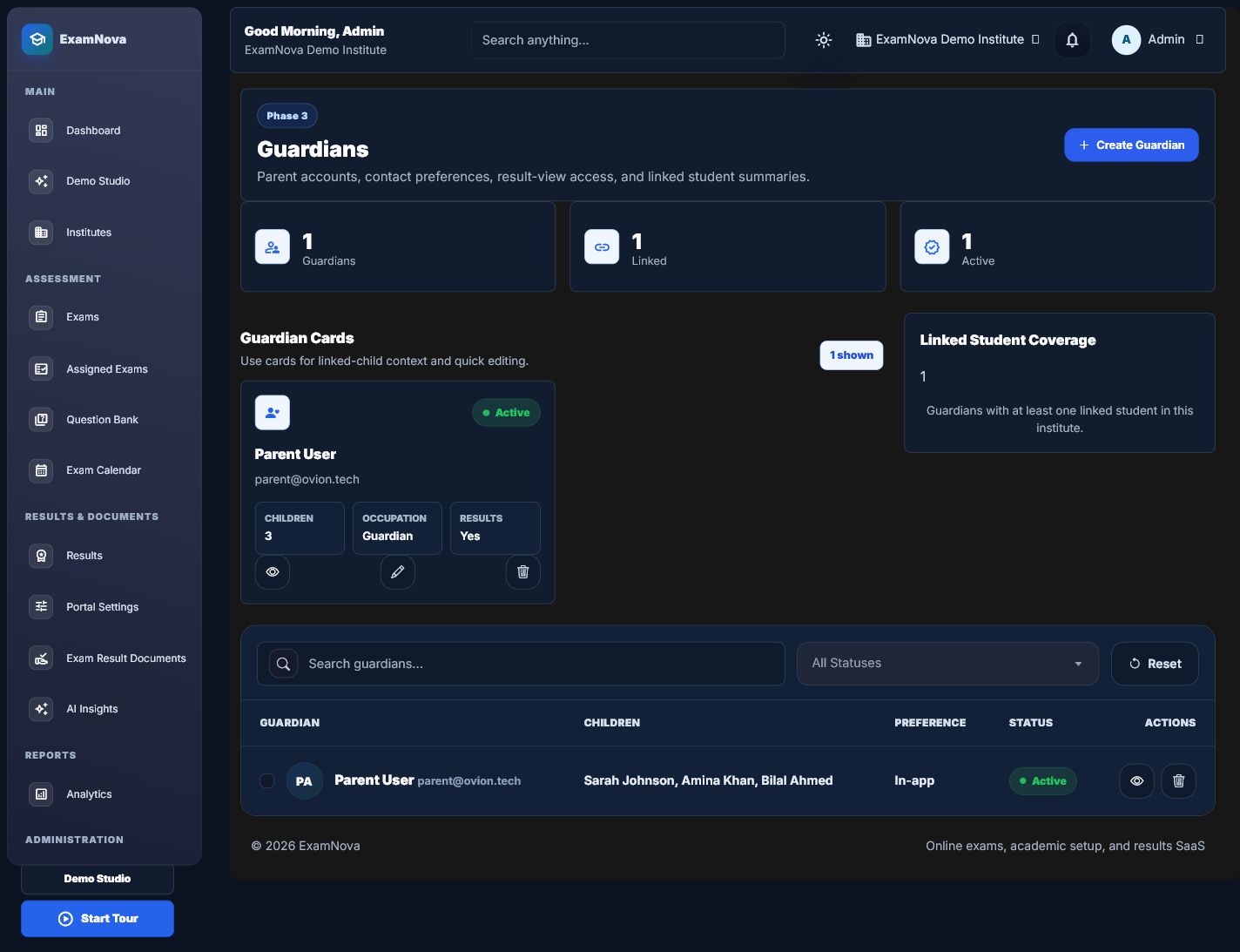
People, students, guardians, and roster imports
Create or synchronize only the identities and relationships ExamNova needs for assessment delivery and reporting.
Institute administratorIntegration administrator
Who does thisInstitute or integration administrator
Before you startAcademic structure and external identifier rules are ready
Successful outcomeEligible participants are mapped without duplicating the source system
What this means in plain language
ExamNova needs enough identity and enrolment context to assign exams and show permitted results. The school system remains authoritative for the broader student record.
Step-by-step
- Choose the approved manual, CSV, or REST process and download the current template when using CSV.
- Provide a stable source-system name and external ID for synchronized records.
- Validate the run before committing it. Resolve missing parents, duplicate identifiers, and invalid academic references.
- Create student and guardian relationships only when they are required for assessment access.
- Review created, updated, skipped, and failed rows. Save the run report for audit purposes.
- Sign in with a test student or guardian account to verify the permitted portal view.






How to know it worked
- Each synchronized person has a stable external mapping.
- Failed rows are visible and do not silently overwrite local assessment facts.
- Students see only their assignments and published information.
- Guardians see only explicitly linked children.
Common mistakes
- Using email addresses as permanent external IDs when they can change.
- Re-importing corrected rows without the original idempotency context.
- Treating a guardian link as permission to view unpublished results.
If something goes wrong
- Compare the source system and external ID before merging apparent duplicates.
- Download failed-row reports and correct the source rather than editing around repeated import errors.
- Check both relationship status and publication state when a guardian cannot see a result.
Privacy and security: Import only the minimum assessment data required. Protect CSV files as confidential records and remove temporary copies according to policy.
What to do next
Build and approve reusable questions in the Question Bank.