Customer Journey
The customer journey starts before booking and continues after the appointment. BookFlow is designed so the customer can discover, book, pay by gateway or wallet, manage receipts, review, ask for help, and come back.
Customer Map
Booking Form
The booking form collects the minimum information needed to create a real appointment: location, service, staff preference, date, selected slot, customer name, email, phone, and notes.
| Customer choice | Connected BookFlow logic |
|---|---|
| Location | Limits services, staff, resources, timezone, and calendar view to that branch. |
| Service | Controls duration, price, buffer, deposit, eligible staff, and resource needs. |
| Staff | Limits slot results to one professional, or auto-assigns the best available staff. |
| Date and slot | Comes from working hours, existing bookings, time off, resources, and service duration. |
| Links guest bookings to customer account, wallet benefits, receipts, and portal history. |

Payment Handoff
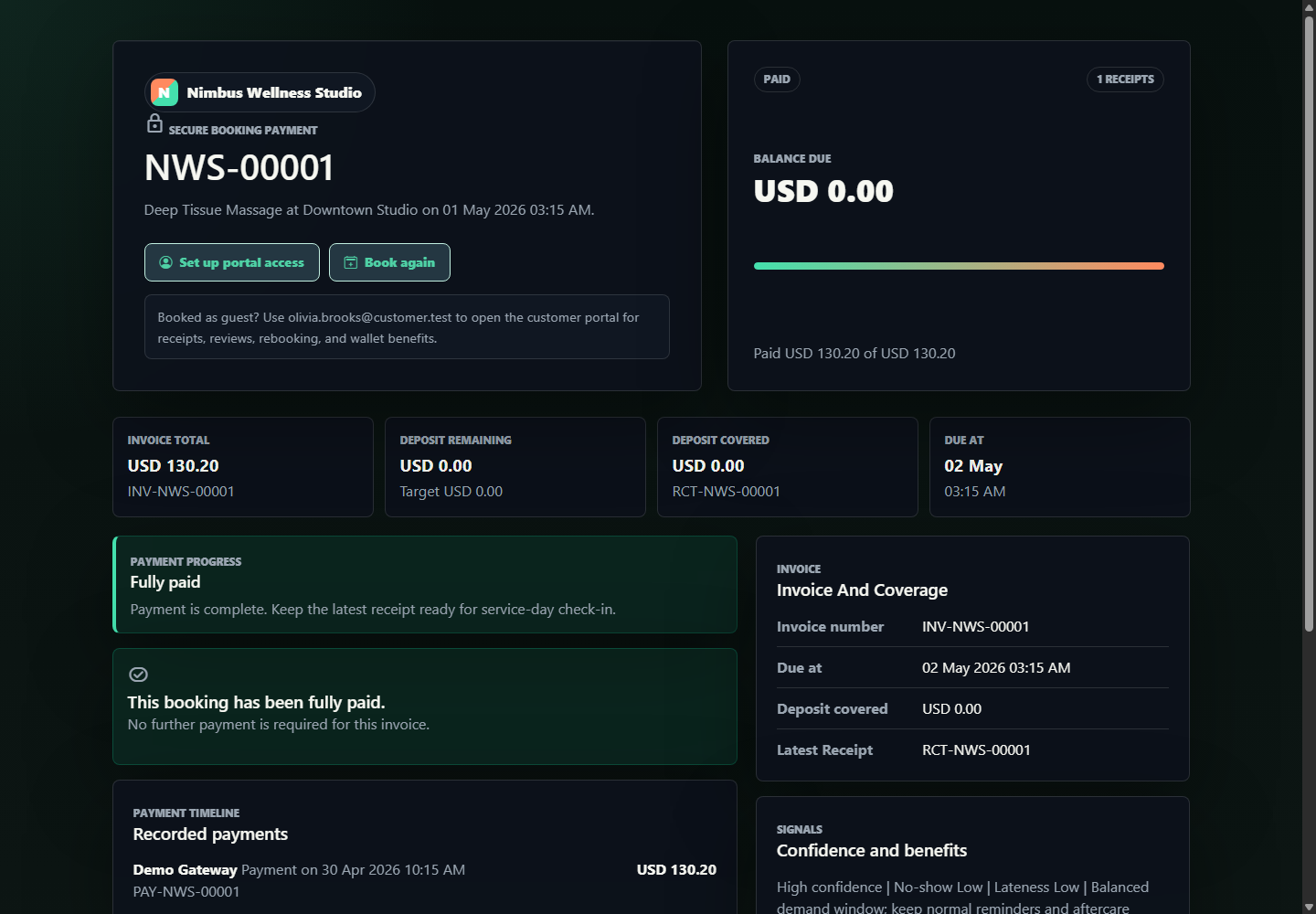
If a booking has money due, BookFlow sends the customer to a signed payment page. The signed link protects the payment page from casual misuse while still being easy for a customer to open from email, the customer dashboard, or after booking.
Customer Portal
The customer portal is the "come back" hub. It does not behave like an admin dashboard. It shows the next best action first.
Action center
Pay balance, rebook, review, use expiring credits, renew membership, or open support.
Wallet
Cash balance, top-ups, memberships, package credits, vouchers, expiring benefits, and where each benefit can be used.
History
Past and upcoming bookings, invoices, receipts, review state, cancellation, and rescheduling actions.
Support
Customer questions can become support cases or receptionist conversations depending on the vendor setup.

Wallet Top-ups And Booking Payments
The customer wallet has two jobs. It stores program benefits such as memberships and package credits, and it also stores a cash wallet balance that can be topped up and used to pay booking balances.
| Customer action | System behavior | Visible proof |
|---|---|---|
| Add wallet funds | BookFlow creates a top-up checkout session and sends the customer to a sandbox approval screen. | Wallet top-up page, checkout reference, and pending wallet ledger row. |
| Approve sandbox checkout | The session completes, wallet balance increases, and a notification/mailbox proof event is written. | Customer portal wallet tab and wallet.topup.completed in demo mailbox. |
| Pay booking by wallet | The payment page checks available cash balance, debits the wallet, updates invoice balance, and issues receipt history. | Payment page balance, booking payment status, wallet ledger, receipt list, and reports. |
| Use package or membership benefit | BookFlow matches the customer account/email to active benefits and explains or applies eligible coverage. | Booking benefit snapshot, customer wallet, payment ledger, and usage ledger. |
Review Growth Loop
Reviews are connected to bookings, service, staff, and business. That means a review can help both the business and the professional who delivered the service.
Rebooking
BookFlow can send a customer back to the storefront with service, location, staff, and previous booking context already known. This makes the second booking faster than the first.
Detailed Screen Reference
For field-by-field booking form details, payment widgets, portal tables, wallet sections, review fields, and support fields, open Storefront And Customer Reference.