Payments
Payments turn a booking into money records. BookFlow separates invoice total, deposit target, balance due, wallet balance, receipts, and gateway checkout so the customer and vendor both know what is paid.
Payment Chain
Payment Page
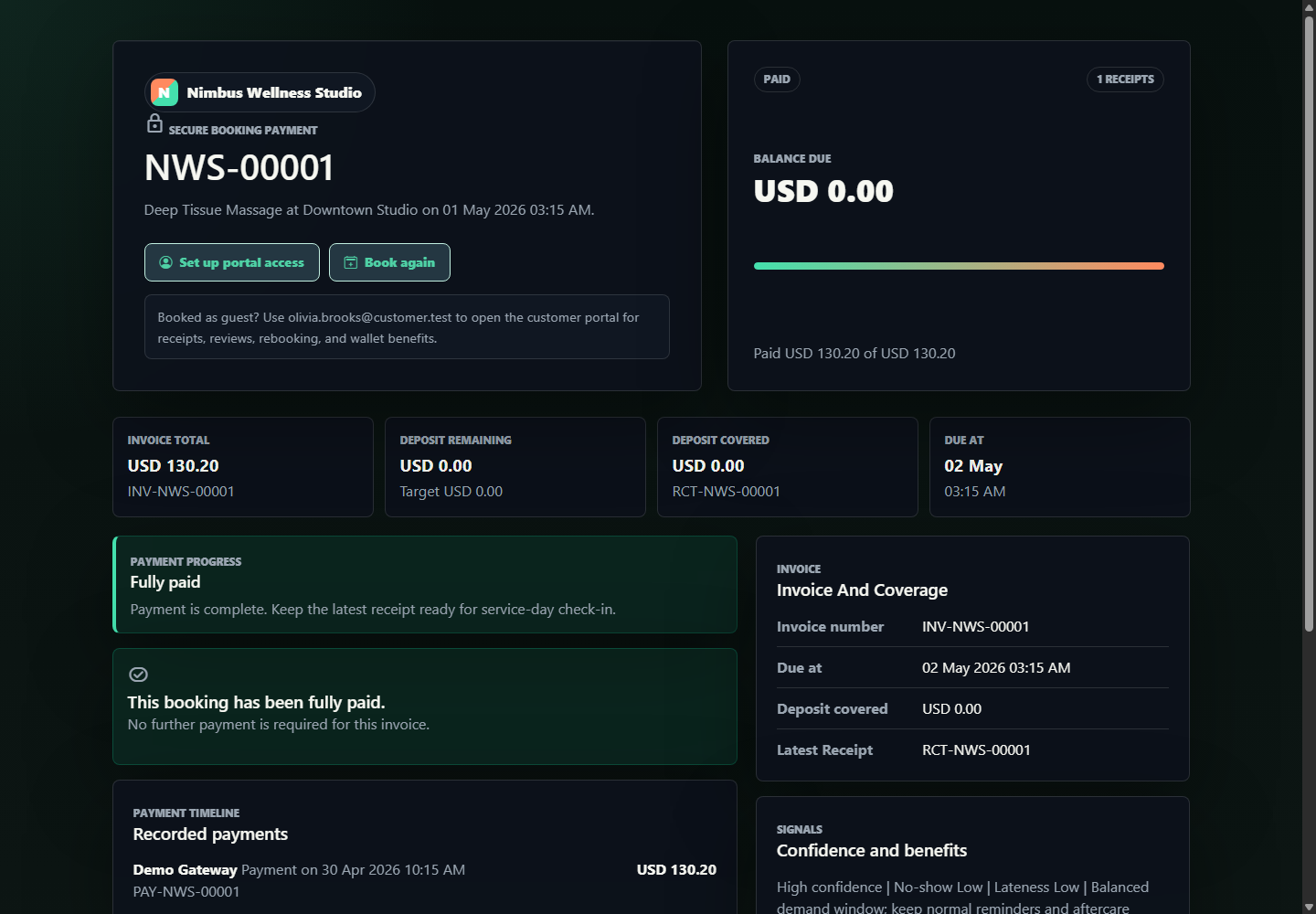
| Field | Plain meaning |
|---|---|
| Invoice total | The full amount BookFlow calculated for the booking after service price, benefits, and payment rules. |
| Deposit remaining | The amount still needed to secure the slot if a deposit rule applies. |
| Balance due | The amount still unpaid after receipts are counted. |
| Payment progress | A quick visual of how much has been paid against the invoice. |
| Receipt history | Proof of payments already recorded. |
| Wallet balance | Cash wallet amount available for this logged-in customer, separate from package credits and memberships. |
Wallet Payments And Top-ups
BookFlow Wallet payments are internal ledger movements tied to the same invoice and receipt records as gateway payments. A top-up creates a checkout session first; a wallet payment debits the customer's cash balance and immediately updates the booking payment state.
| Flow | What changes | Proof surfaces |
|---|---|---|
| Top up wallet | Creates a checkout reference, pending session, ledger result, notification, and demo mailbox event after approval. | Customer portal wallet tab, demo mailbox, wallet ledger, notification inbox. |
| Pay booking by wallet | Debits cash wallet, reduces invoice balance, records receipt, and updates booking payment status. | Payment page, booking detail, receipts, reports, customer portal. |
| Insufficient balance | Wallet button remains disabled or explains that balance is not enough. | Payment page wallet panel. |
| Webhook completion | Stripe-style checkout completion can complete a matching top-up session when signatures and references match. | Webhook log, wallet session status, activity proof. |
Gateway Choices
BookFlow supports hosted checkout-style flows. The demo includes local providers such as Demo Card, Stripe-style checkout, JazzCash, and Easypaisa-style sessions depending on configuration. A gateway session carries the checkout kind, amount, provider, reference, and callback result so payment status can be traced later.
| Gateway behavior | Plain meaning |
|---|---|
| Sandbox approval | The customer can approve or decline the demo checkout without a real charge. |
| Session reference | BookFlow stores the provider reference so support can match the payment page, callback, and receipt. |
| Payment kind | The session knows whether it is collecting a deposit or the remaining balance. |
| Status update | Successful completion updates receipt history, balance due, booking payment status, and reports. |
Admin Collection
Vendor admins can also collect or record payments from booking detail actions. That updates the same balance and receipt history the customer sees.
Currency
Workspace currency is a vendor business setting. When the owner changes currency, active catalog rows and future booking calculations should use that currency. Existing receipts remain historical records and should not be silently rewritten.
Example: Deposit And Balance
Deep Tissue Massage, USD 145
If Nimbus requires a 25% deposit, BookFlow can ask the customer to pay the deposit first and leave the remaining balance due later. The booking, invoice, payment page, customer portal, and reports all read from the same payment records.
Detailed Screen Reference
For every payment page stat, gateway card, direct capture field, payment timeline item, receipt field, and admin collect-payment field, open Storefront And Customer Reference and Vendor Admin Indexes Reference.