Storefront And Customer Reference
This page explains every customer-facing area: Nimbus storefront, public booking form, vendor trust pages, payment page, and the customer portal.
Screen Map
| Screen | Local link | Screenshot | Who uses it | What changes next |
|---|---|---|---|---|
| Nimbus storefront | Storefront | storefront/home.png | Public customers | Customer selects service, staff, and booking details. |
| Booking page | Booking | storefront/booking.png | Public customers | Creates booking, invoice/payment context, and customer profile. |
| Services/team/trust pages | FAQ example | storefront/services.png | Customers evaluating the vendor | Builds trust before booking; no booking record changes until form submit. |
| Payment page | Signed booking payment link | customer/payment.png | Customer with unpaid booking | Records payment and receipt; updates booking balance. |
| Customer portal | Customer portal | customer/portal.png | Logged-in customers | Shows next actions, wallet, bookings, reviews, and support. |
Storefront Homepage
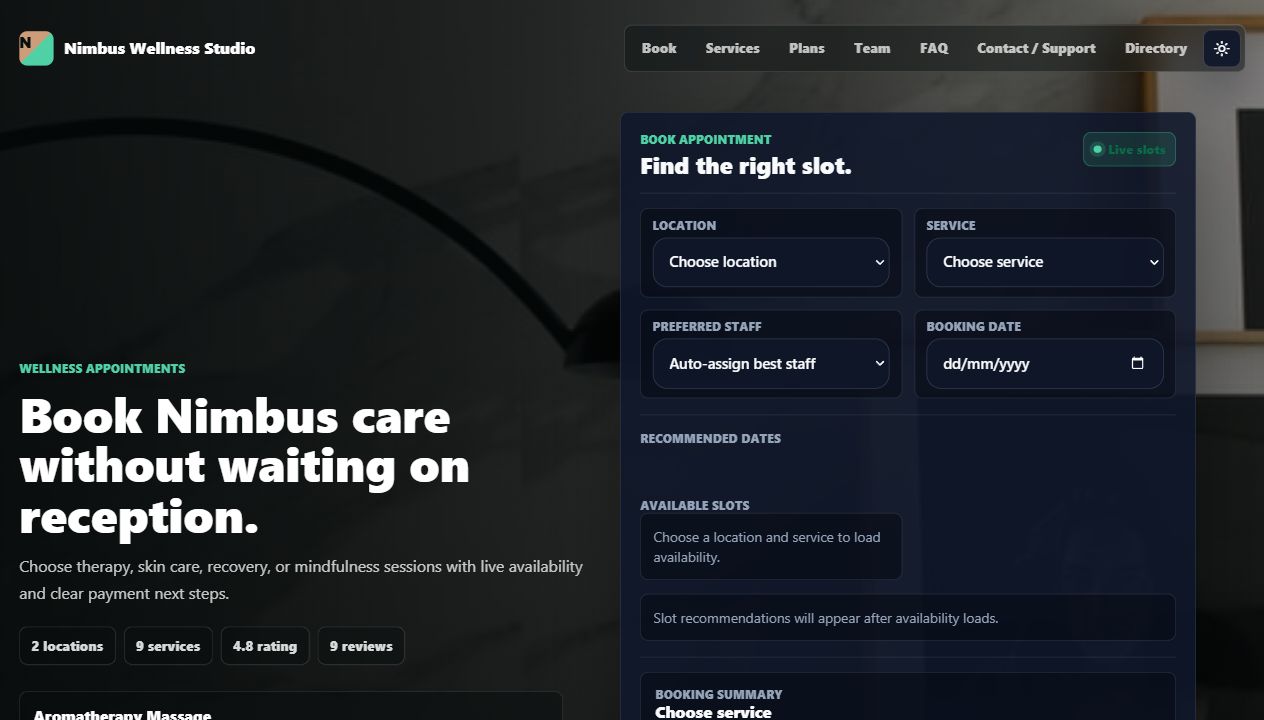
| Visible area | What it means | Source data | Action | Connection |
|---|---|---|---|---|
| Header navigation | Links to booking, services, plans, team, and published website pages. | Core routes plus published CMS pages. | Customer moves through vendor website. | Controlled by Website Pages and route availability. |
| Hero kicker, headline, intro, cover image | Main public pitch. | Website -> Homepage editor. | Customer decides if this is the right vendor. | Branding and homepage settings update this text. |
| Proof metrics | Locations, services, rating, reviews. | Locations, services, marketplace snapshot. | Trust signal only. | Updated by services, reviews, and tenant data. |
| Featured service buttons | Quick service choices. | Active services. | Click preselects service in booking form. | Service id flows into availability preview. |
| Programs | Memberships and packages customers can buy/use. | Programs module. | Customer sees benefits before booking. | Logged-in benefit matching can affect booking/payment. |
| Reception assistant | Lightweight public question form. | AI receptionist conversation endpoint. | Customer asks about slots, packages, or help. | Creates receptionist conversation for admin follow-up. |
| Team carousel | Image-based staff trust surface. | Staff profiles, avatar paths, ratings, reviews, specialties. | Book with a specific staff member. | Preselects staff and reloads availability. |
| Footer | Book, services, plans, team, FAQ, terms, privacy, contact, directory. | Core pages plus CMS footer pages. | Customer opens trust/legal/support pages. | Website page visibility controls links. |
Public Booking Form

Booking Fields
| Field | Required? | User should enter/select | What it changes | Where it appears next | Common mistake |
|---|---|---|---|---|---|
| Location | Yes | Branch where the service happens. | Limits staff, resources, timezone, and slots. | Booking record, calendar, customer portal. | Choosing a branch that does not offer the service. |
| Service | Yes | Service to book. | Controls duration, price, deposit, resources, and staff eligibility. | Booking, invoice, payment, reports, rebooking suggestions. | Changing service after picking a slot without rechecking availability. |
| Preferred staff | No | Specific staff member or auto-assign. | Filters availability to that staff or lets the engine choose. | Booking staff assignment and calendar event. | Selecting a staff member not assigned to the service. |
| Booking date | Yes | Date for the appointment. | Loads slots for that day. | Scheduled time on booking and invoice due context. | Expecting past dates to be valid. |
| Recommended dates | No direct input | Click a suggested date chip. | Sets booking date and reloads slots. | Slot picker. | Ignoring suggested dates when the chosen date has no slots. |
| Available slots | Yes | One available time. | Sets selected slot value. | Booking scheduled_for field. | Submitting before selecting a slot. |
| Booking summary | Read-only | Review service, location, staff, date, slot. | No direct update. | Helps prevent wrong booking. | Not checking after changing service/staff. |
| Name | Yes | Customer name. | Creates/updates customer identity for the booking. | Booking index, customer portal, receipts. | Using initials only makes support harder. |
| Yes | Customer email. | Matches guest/account and wallet benefits. | Customer portal, payment handoff, review request. | Using a different email than the account with credits. | |
| Phone | No | Customer phone. | Stores contact for vendor follow-up. | Booking admin and support context. | Leaving it blank when the vendor needs phone confirmation. |
| Selected slot | Yes | Read-only value filled by slot selection. | Stores actual selected time. | Calendar and payment page. | Typing is not expected; pick a slot instead. |
| Notes | No | Customer request or context. | Stores customer note on booking. | Admin booking detail and calendar inspector. | Putting payment card details in notes. |
Booking Actions
| Action | Confirmation/loading | System result | Success feedback | Error meaning |
|---|---|---|---|---|
| Confirm booking | SweetAlert asks yes/no, then loader says booking is being reserved. | Creates booking, customer profile link, invoice/payment context, metadata snapshots, and possibly payment redirect. | Booking success or payment page. | Missing field, stale slot, unavailable staff/resource, CSRF/session, or validation problem. |
| Book with staff | No save confirmation; it only preselects staff. | Staff selector changes and availability reloads. | Booking form scrolls into view. | No slots if staff is not free. |
| Service button | No save confirmation; it only preselects service. | Service selector changes and availability reloads. | Booking form updates summary and slots. | No slots if the service lacks assignments. |
Services, Team, FAQ, Terms, Privacy, Contact
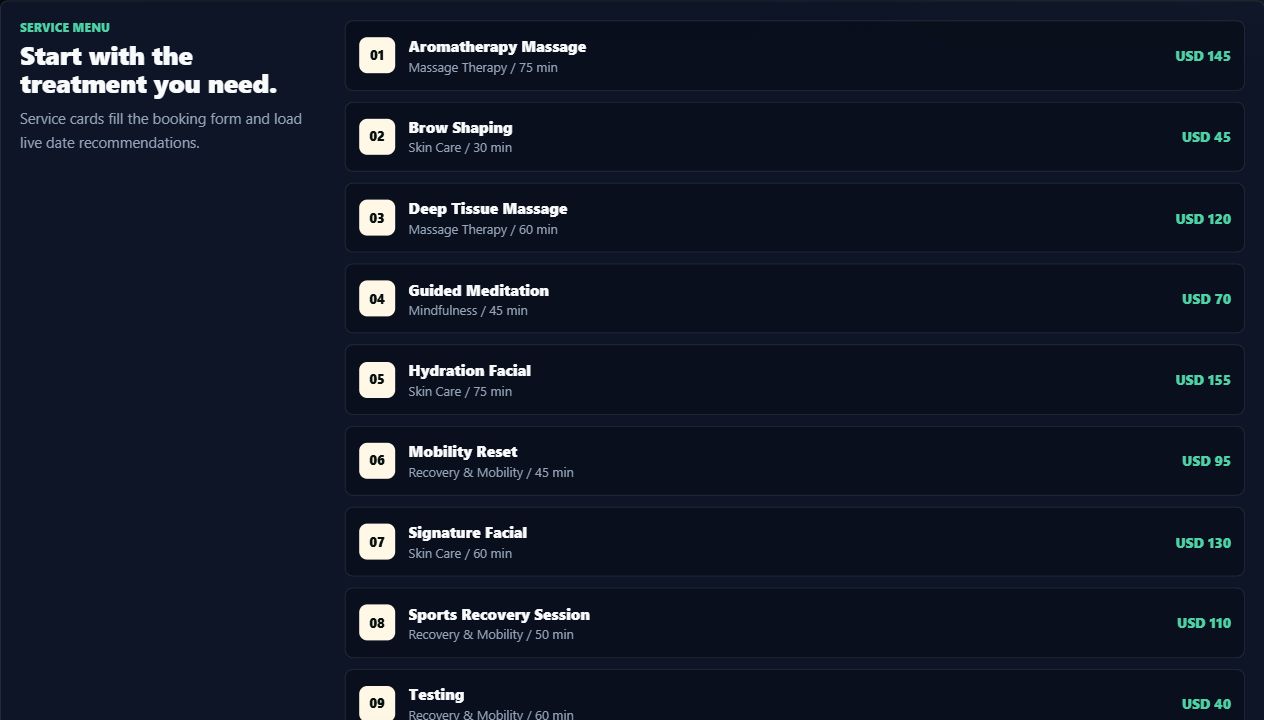
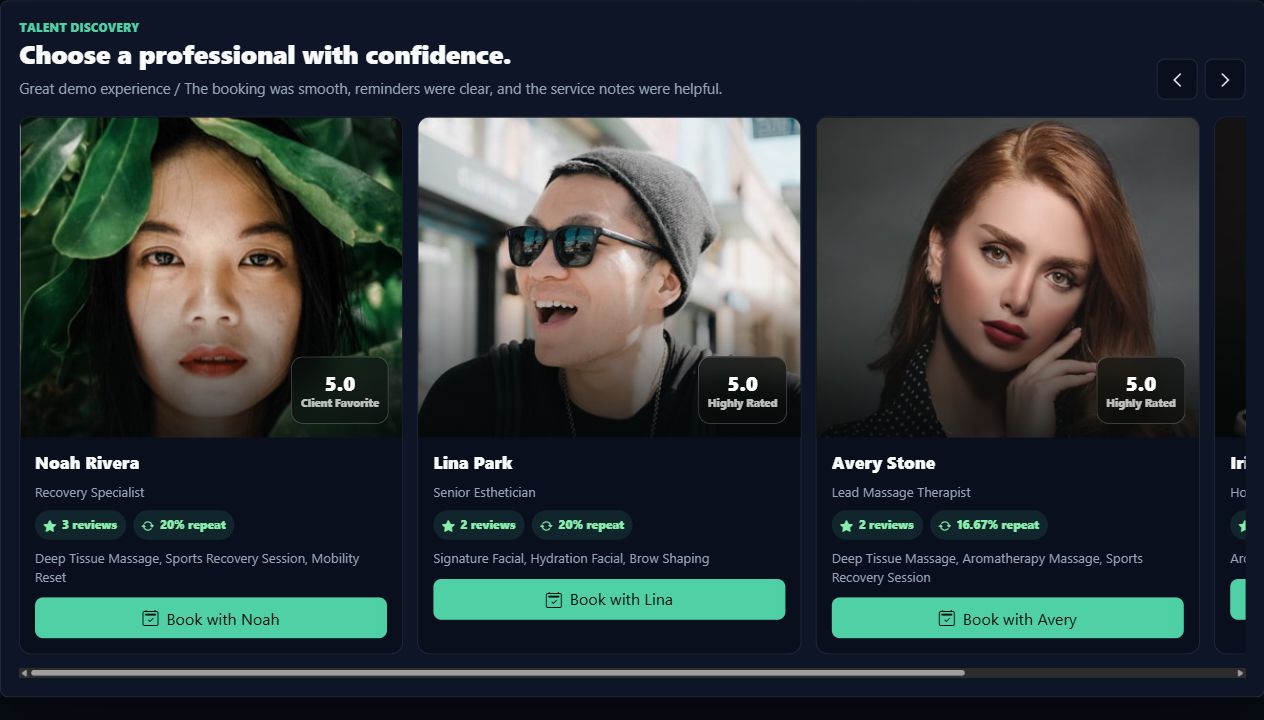
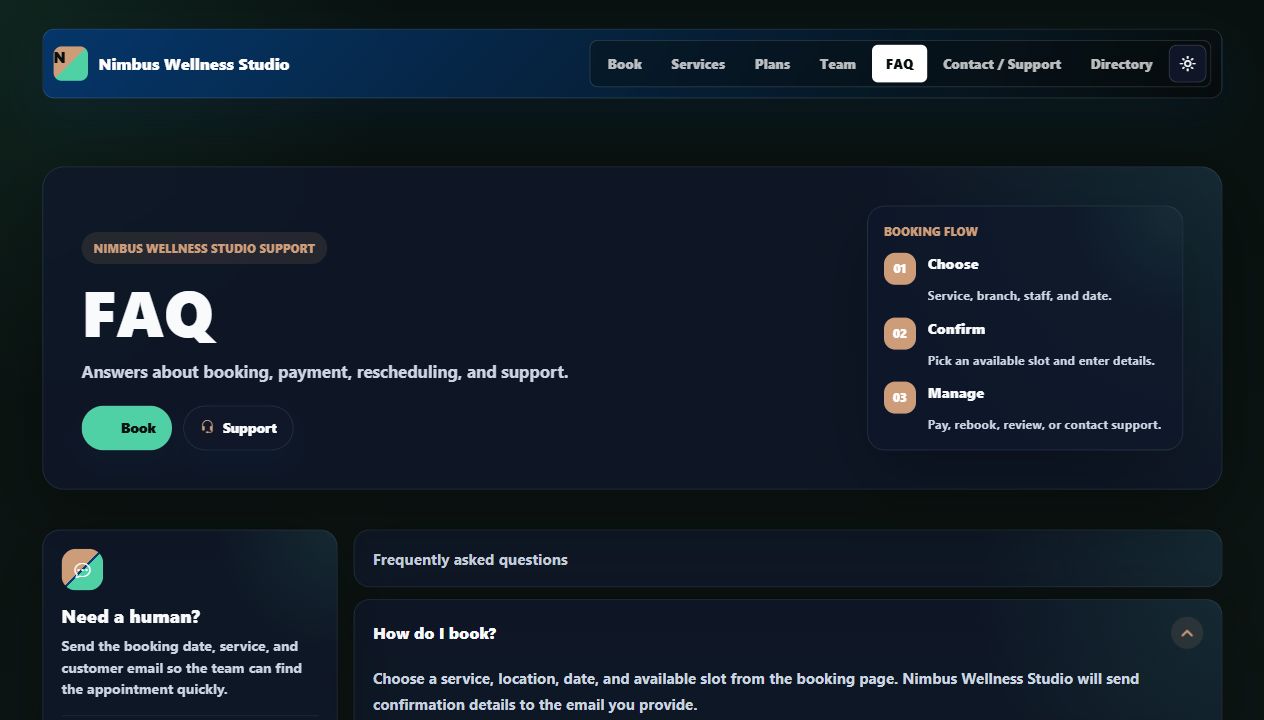
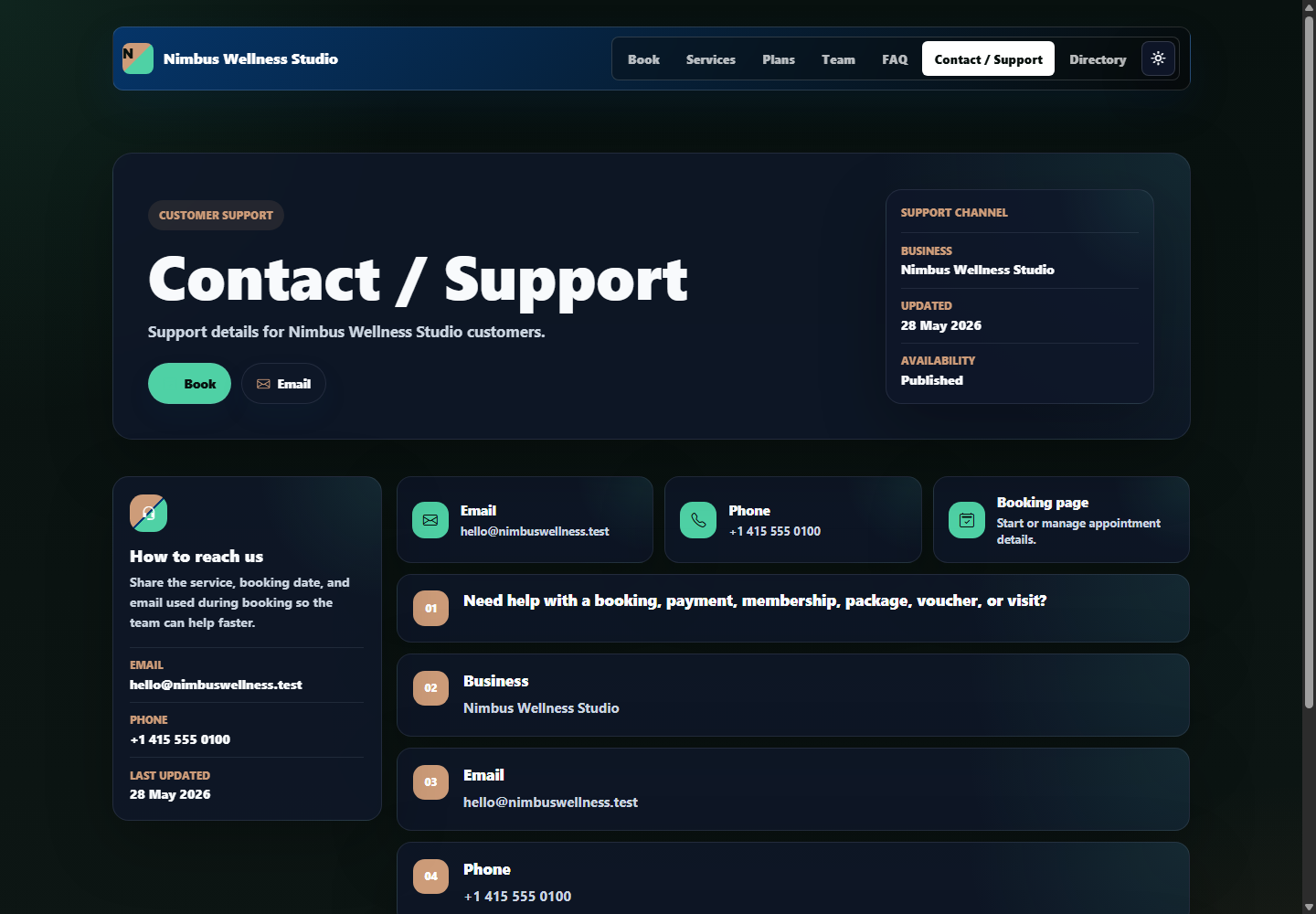
| Page | What it explains | Source | Customer action | Vendor impact |
|---|---|---|---|---|
| Services | Service names, categories, duration, and prices. | Active service catalog. | Pick or compare services. | Service edits update public choices. |
| Team | Staff names, photos, specialties, reviews, ratings, and book buttons. | Staff profiles and marketplace reviews. | Choose a preferred professional. | Staff profile quality affects trust and conversion. |
| FAQ | Cancellation, rescheduling, deposits, memberships, packages, and no-show rules. | Website CMS required page. | Read before booking. | Vendor edits reduce support questions. |
| Terms | Booking/payment/refund/business rules. | Website CMS required page. | Open from footer or booking agreement. | Supports customer consent language. |
| Privacy | How names, emails, phones, appointment data, and payments are handled. | Website CMS required page. | Open from footer or booking agreement. | Supports trust and compliance posture. |
| Contact | How to reach the vendor for help. | Website CMS required page plus business/location data. | Ask for support. | Directs support before/after booking. |
Payment Page
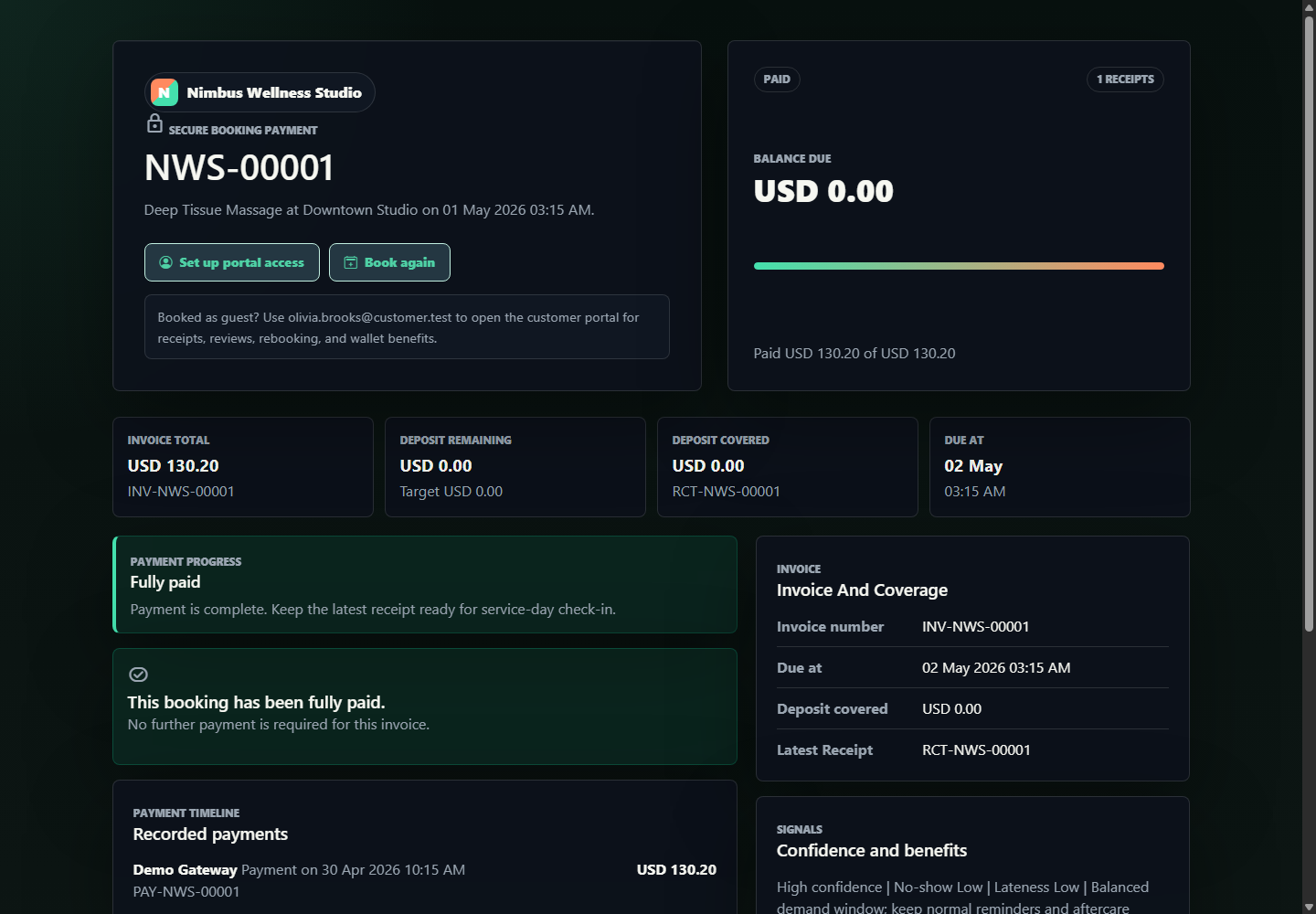
Payment Widgets And Fields
| Item | What it means | Source | How to read it | Why it matters |
|---|---|---|---|---|
| Invoice total | Full booking amount after service price and benefit rules. | Invoice/payment overview. | Total money expected. | Baseline for balance and receipts. |
| Deposit remaining | Deposit still needed to secure the slot. | Deposit rule and paid amount. | If greater than zero, deposit checkout is primary. | Protects vendor from no-shows. |
| Deposit covered | Deposit already paid. | Receipts and invoice summary. | Shows whether deposit target is met. | Vendor can see booking confidence. |
| Due at | Invoice due date/time. | Invoice due_at. | Usually appointment-related deadline. | Payment reminders and reports use it. |
| Gateway checkout cards | Hosted checkout options by provider. | Enabled payment providers. | Each card starts a provider session. | Creates payment session or redirects. |
| Payment kind | Deposit or balance. | Form selection. | Deposit pays reservation amount; balance clears invoice. | Receipt payload records payment purpose. |
| Provider | Demo Card or manual capture. | Form selection. | How the payment is recorded. | Useful for reconciliation and receipts. |
| Amount | Payment amount to record. | User input with default due amount. | Must be positive and not nonsensical. | Updates balance due and receipt history. |
| Payment timeline | Recorded payments. | Payment records. | Newest payments first. | Audit trail for customer and vendor. |
| Receipt history | Issued receipts. | Receipt records. | Confirms money received. | Customer proof of payment. |
Customer Portal

Portal Widgets
| Widget/table | What it shows | Source | Action | Connection |
|---|---|---|---|---|
| Next booking | Nearest upcoming appointment. | Upcoming bookings. | Open storefront. | Helps customer manage their next visit. |
| Portal stats | Outstanding balance, linked businesses, available credits, or similar totals. | Customer portal service summary. | Quick health check. | Feeds next-best-action priorities. |
| Action Center | Pay balance, rebook, review, renew, use expiring benefit, or support action. | CustomerPortalService action center. | Click CTA. | Drives retention without admin screens. |
| Wallet summary | Memberships, credits, vouchers, expiring benefits. | Membership/package/voucher records. | Use benefits by booking with same account/email. | Benefit matching can affect booking/payment. |
| Rebook rail | Suggestions from completed visits. | Booking metadata rebooking suggestion. | Open storefront with prefilled service/location/staff. | Makes repeat booking faster. |
| Upcoming bookings | Appointment cards with schedule, balance, invoice, receipt, cancel/reschedule. | Booking, invoice, receipts. | Pay, reschedule, cancel, view invoice. | Changes booking/payment records. |
| Wallet detail | Memberships, packages, service credits. | Customer program records. | Review benefits before booking. | Shows what can be used in storefront/customer booking. |
| Review queue | Completed bookings waiting for review. | Completed bookings without marketplace review. | Submit rating/title/review. | Updates marketplace/storefront trust surfaces. |
| Support cases | TicketPro cases linked to bookings. | Support ticket metadata/integration records. | Track issue status. | Connects booking support to outside ticket system. |
| Relationship summary | Per-business visits, lifetime value, due balance, policy, last touchpoint. | Booking and retention summaries. | Book again or open storefront. | Shows cross-business customer history. |
Portal Forms And Fields
| Form | Field | Required? | Meaning | What changes after submit | Common mistake |
|---|---|---|---|---|---|
| Reschedule | Booking date | Yes | Requested new appointment date. | Booking schedule is updated or request is processed. | Choosing a time that no longer has availability. |
| Reschedule | Slot value | Yes | Requested new time. | Booking scheduled_for changes. | Typing a time without checking slot availability. |
| Review | Rating | Yes | 1 to 5 score. | Creates marketplace review. | Submitting review for wrong booking if multiple are waiting. |
| Review | Title | No | Short public review headline. | May appear on storefront/directory trust surfaces. | Putting private info in public title. |
| Review | Review | No | Public feedback body. | Improves marketplace ranking/trust. | Sharing sensitive appointment details. |
| Portal booking | Location, service, staff, date, slot, notes | Mostly yes | Authenticated booking details. | Creates booking while matching wallet benefits. | Not pressing Preview slots before booking. |
| Support request | Business | Yes | Which vendor needs help. | Creates support request context. | Choosing the wrong business. |
| Support request | Related booking | No | Specific booking tied to issue. | Links case to booking if selected. | Leaving blank for booking-specific payment issues. |
| Support request | Subject | Yes | Short issue summary. | Support ticket subject. | Too vague, such as "help". |
| Support request | Description | Yes | Detailed issue. | Support ticket body. | Including card numbers or passwords. |
| Membership/package | Activate/Buy button | Yes action | Customer purchases a benefit. | Adds membership or credits to wallet. | Assuming it applies to old paid invoices automatically. |
Customer Examples
Customer Books A Massage
Daniel opens Nimbus, chooses Downtown Studio and Deep Tissue Massage, picks Avery or auto-assign, selects a valid slot, enters email, and confirms. BookFlow creates the booking, invoice, and payment handoff.
Completed Visit Becomes Growth
After the booking is completed, the portal shows a review card and a rebook card. The review improves storefront trust. The rebook link returns to the storefront with service, location, and staff prefilled.
Wallet Benefit Matching
If the customer has a package or membership, they should book while logged in or use the same email. That lets BookFlow match benefits before payment.
Support Request
If a payment or appointment has a problem, the customer chooses the business, optionally selects the booking, writes the issue, and sends it to the vendor support flow.