Demo Flow
Use this page when showing BookFlow to a client, tester, or new team member. It gives a clear path through the product without needing to know the codebase.
Demo Credentials
| Role | Login | Password | Use it for |
|---|---|---|---|
| Demo admin | admin@ovion.tech | Demo@12345 | Platform and full Nimbus admin access. |
| Staff | avery.stone@nimbuswellness.test | Demo@12345 | Staff-level operational access. |
| Customer | Seeded @customer.test users | Demo@12345 | Customer portal examples. |
Recommended Demo Order
- Open platform home and explain that BookFlow is the SaaS layer.
- Open plans and explain that vendors choose a subscription before signup.
- Open directory and explain that customers can discover businesses.
- Open Nimbus storefront and explain the tenant layer.
- Open booking page and walk through location, service, staff, date, slot, and customer details.
- Show a payment page, then explain invoice, deposit, balance, receipt, and customer portal handoff.
- Log in as Maya and open vendor admin.
- Show bookings, calendar, services, staff, website pages, programs, reports, integrations, and settings.
Example 1: Customer Books A Massage
Plain English Walkthrough
A customer opens Nimbus, chooses Downtown Studio, selects Deep Tissue Massage, either picks a therapist or lets BookFlow auto-assign, chooses a date, and sees only valid slots. When the customer submits, BookFlow creates the booking, records the customer profile, calculates price/deposit, and sends the customer to payment if money is due.

Example 2: Vendor Changes Business Setup
Maya logs in, opens Services, edits a service duration or price, and saves. From that point forward, future booking slots and invoices use the new setup. Old bookings remain in history so reports and receipts stay consistent.

Example 3: Completed Booking Becomes Retention
After a booking is completed, BookFlow can show a review action and a rebook action. The review improves trust surfaces. The rebook link sends the customer back to the storefront with the previous service, staff, and location context.
Example 4: CRM Lead Becomes Booking
CRM sync imports leads into Integrations. The vendor opens Lead Intake, chooses service, location, staff, date, and time, then converts the lead. BookFlow creates a normal booking and records an external mapping so the CRM record and local booking stay connected.

Example 5: Vendor Website Pages
Maya edits FAQ, terms, privacy, or contact pages from Website. Published pages appear in storefront header/footer. Booking pages link to terms and privacy so customers can understand rules before confirming.
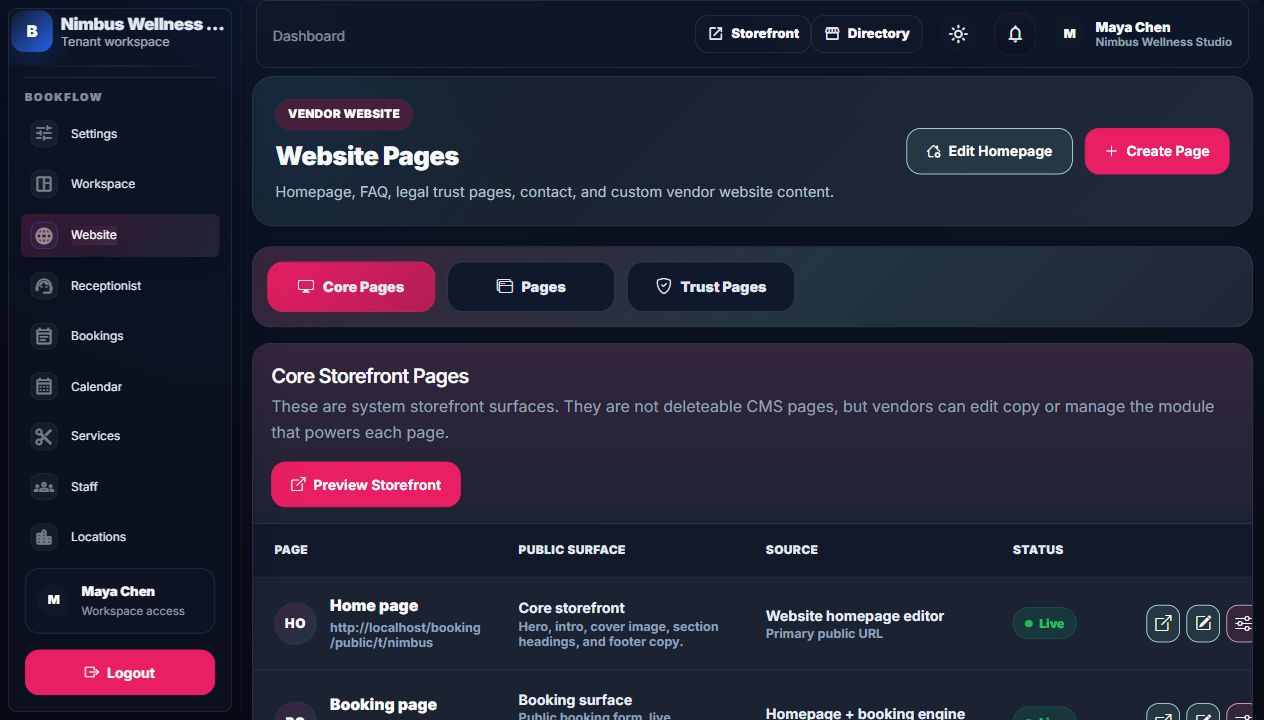
Complete App Scenario
Use the presenter script for the full story.
The complete script covers platform handoff, vendor service setup, website builder publishing, membership/package lifecycle, Olivia booking/payment, support/refund review, integration simulator, and vendor operations review.